Press Release Video: What to Include and How to Make One


October 22, 2026


The best partner announcement photos show real people from both companies together, in a natural moment, shot at high resolution and delivered through a link journalists can open without asking permission. Get that one hero image right, add two to four supporting visuals, and settle approvals before the shoot. The rest of this guide covers how.
This is about business partnerships: two companies, a joint press release, a LinkedIn post, a newsroom page. If you searched this and wanted pregnancy or engagement photo ideas, this is not that page.
A partnership announcement is abstract. Two logos, a quote about synergy, a paragraph about shared goals. A photo is the only part of the release that a reader grasps in a second.
The numbers back this up. Cision’s 2025 State of the Media Report, as cited in a PR Newswire multimedia guide, found that 20% of reporters are more likely to pursue a story when multimedia is provided. Images are among the assets journalists use most.
Media professionals describe this as legibility. If an editor cannot tell what the partnership is from the hero image alone, the odds of publication drop significantly. The image has to carry the story without the text.
The same logic applies beyond the press. Your sales team will drop the image into decks. Recruiters will use it on careers pages. Investors and customers will see it on LinkedIn before they read a word. A weak photo is a weak first impression with every audience at once.
PR guidance from PR Newswire and Instant Press frames partnership visuals as three layers. It is a useful checklist for planning the shoot.
| Layer | What it is | Examples for a partner announcement |
|---|---|---|
| Foundation | One high-resolution hero image | Leaders from both companies together, seated or shaking hands |
| Context | Two to four supporting visuals | Team photos, product in use, a data graphic, B-roll stills |
| Infrastructure | A media kit link with clear usage rights | Cloud folder or newsroom gallery with logos, photos, captions |
Shoot for all three in one session. It is far cheaper to capture a hero image, a team photo and individual executive portraits on the same day than to commission them separately, and the visuals will match.
Journalistic standards for partnership photography favor human elements. The PR Newswire partnership guide describes the typical hero as executives from both organizations together, seated or shaking hands, well lit, capturing natural interaction rather than a static pose. It should tell the story without a long caption.
In practice, that means a few decisions.
Use the people named in the release and quoted in it. A hero image of the CEO of one company and the head of partnerships at the other is fine if those are the two spokespeople. Do not use a whole leadership team just to be polite. Three or four faces is the ceiling before the image turns into a group photo.
The handshake works because it is instantly readable, but it often looks staged. Better options: two leaders at a table reviewing something together, walking through a shared workspace, or standing at a whiteboard. The aim is a moment that looks like the partnership already exists.
Experts note that companies often use generic promotional images for high-stakes announcements. For partnerships and M&A, documentary-style storytelling with real people and real outcomes tends to be more effective than stock-like imagery, which can undermine credibility. Journalists spot stock instantly.
Shooting at one partner’s office with the other’s logo visible, or in a neutral space that reflects the work you will do together, adds context. A blank wall adds nothing. Our own environmental headshot guidance covers how to use an office as a backdrop without clutter.
Editors rarely run only the hero. PA Media notes that coverage often needs supplementary images such as team photos, product-in-use shots or infographics to break up text, and that supplying them in both landscape and portrait helps editors fit their layouts without cropping.
A practical shot list for a two-company announcement:
Shoot every setup in both orientations. It costs minutes on the day and saves a day of requests afterward.
The PR Newswire guide recommends at least 300 dpi for print and 2000 to 3000 pixels on the longest side for digital. Ask your photographer to confirm the files meet that before the shoot, not after.
A few related points:
Journalists expect a self-serve media kit. The PR Newswire guide advises against attaching large files and says doing so can cause emails to be blocked or discarded by 7% of journalists. Give them a link to a cloud folder or newsroom gallery where high-resolution assets download without forms or permission requests.
Put in the folder: the hero and supporting images, both orientations, logos, executive bios, captions and a short usage note. A company like 1Password shows what a clean press and media kit page looks like: logos, product images, leadership headshots and brand guidelines in one place. For more on assembling yours, see our guide to press kit photos.
A large corporate announcement is a good model too. When Mars announced its Kellanova acquisition, it posted a dedicated media assets page with a transaction video, an infographic and background documents in one place. You do not need that scale, but the principle holds: one page, everything a journalist needs.
The biggest delay in partnership announcements is rarely the photography. It is the review cycle. PR Daily points out that a synchronized workback plan should extend standard PR timelines by one to two weeks to allow for approvals on messaging, quotes and visuals before any embargoed outreach.
Before distributing the photos, both companies should approve the specific assets: logos, executive photography, captions and metadata. PR Turkey’s guidance calls distributing without verified usage rights, and without a named media contact who can answer journalists within two hours, a significant error.
A simple approval checklist:
PR professionals say visual consistency is often sacrificed in the rush to approvals. PR Daily’s partnership advice and related expert commentary point to a discovery step before production so both partners agree on the visual story and brand representation before a single photograph is taken.
That conversation covers a short list: the tone (formal or relaxed), the wardrobe, which brand colors and logos appear, what the setting is, and which company is named first. If one partner is much larger, decide up front how to avoid the image reading as a takeover. The same alignment work applies to events, and these event branding guidelines offer a useful set of checks for tying visual direction to outcomes.
Write the decisions on one page and have both sides initial it. It takes thirty minutes and prevents most reshoots.
A partner announcement shoot is usually short, but it depends on busy people being in one place.
| When | What happens |
|---|---|
| 3 to 4 weeks before launch | Discovery call, visual direction agreed, shot list drafted |
| 2 to 3 weeks before | Date and location confirmed, wardrobe and logo guidance shared |
| Shoot day | Hero, portraits, team and context images captured |
| Within days | Edited images delivered, both partners review |
| 1 to 2 weeks of approvals | Captions, usage rights, media kit finalized |
| Launch | Release goes out with media kit link and named contact |
The schedule above is a planning suggestion built on the one-to-two-week approval buffer from PR Daily, not a fixed rule. Shorten it only if both companies’ approvers are on call.
This is where an on-site approach helps. Rather than flying executives in, a photographer can shoot at each office with a portable studio and match lighting and framing so the images read as one set. Then composite or pair them in the layout, or bring the leaders together at an event if one is already on the calendar. Conferences are a natural moment: both teams are in the same building, and an on-site photo setup can capture the hero image there.

We photograph teams for a living, and the partnership announcements that go wrong tend to go wrong in the same way. The release is polished, the quotes are approved, and the image is a last-minute stock photo or a cropped phone picture from a lunch. Everyone has spent weeks on the story, then borrowed the visual from somewhere else.
Our view is that the photo is part of the news, not decoration for it. We build every project around a strategic objective, so we start with a discovery call and ask what the image needs to do: convince a journalist, support a sales conversation, reassure customers of both companies, attract talent. The answer changes the shot list.
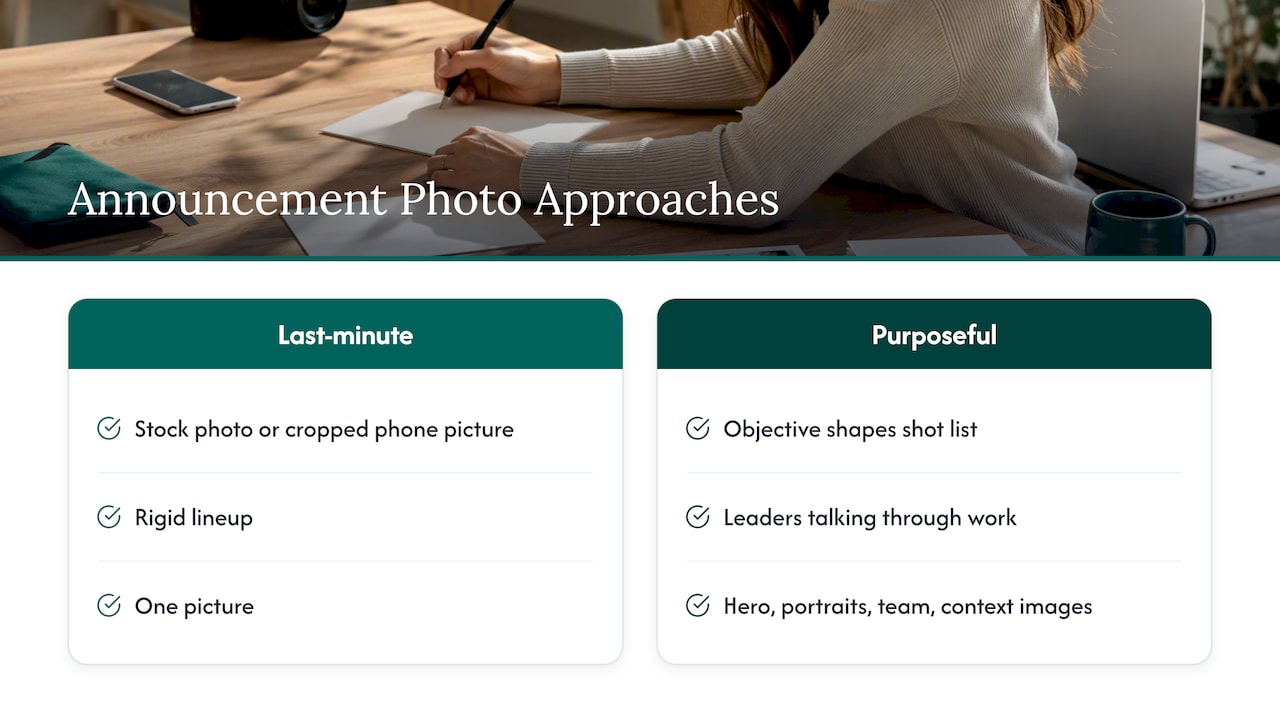
We also push for real moments over staged ones. Real people and real interaction build trust before anyone reads the release. A hero image of two leaders actually talking through the work beats a rigid lineup every time.
And we encourage companies to treat the shoot as a source of assets, not a single picture. The same session can produce the hero, the quoted executives’ portraits, a team photo and the context images for the media kit, all matched in style, so the announcement and everything after it looks consistent.
— Kevin
We bring portable studios and production teams to your office, event or both partners’ locations, with minimal disruption to the workday. Every project starts with a strategic discovery call, which is the right place to settle the visual narrative with your partner.
For team and executive imagery, our published pricing is:
If your announcement coincides with a conference or summit, our event packages (NETWORKING at $2,500, SUMMIT at $4,500 and CONFERENCE at $8,000 per shoot) are listed on the conferences page. Event content includes live photo viewing, retouching and a five-day turnaround. Not sure which fits? Start from our home page and tell us what the announcement needs to do.
For more on how PR and brand imagery fit together, read our post on PR and branding photos and the guide to executive headshot styles.
Plan on one hero image and two to four supporting visuals, following the Foundation and Context layers described by PR guidance. Add individual portraits of any executives quoted in the release. Supply each in landscape and portrait.
The leaders named and quoted in the release, one or two from each company. The aim is a natural interaction between them, such as sitting together or shaking hands, that explains the relationship without a long caption. Avoid large groups for the hero.
Aim for at least 300 dpi for print and 2000 to 3000 pixels on the longest side for digital use. Confirm with your photographer before the shoot, and deliver through a download link rather than email attachments.
Usually yes, if the usage rights allow it. Settle that in writing with both your photographer and your partner before distribution, because both companies must approve the assets and how they are used.
