Recruiting Video Examples That Work, and How to Make Your Own


November 9, 2026


Good startup team photos are a small set of real, consistent images: a headshot of every person, a few group portraits, and some candid shots of the team working. Plan the shoot around where the images will be used, and book it before a fundraise, a hiring push or a launch needs them. Stock images won’t do that job, because they show strangers. Buyers, investors and candidates want to see your people.
This guide covers which shots to capture, how to prepare the team and office, what to wear, how long a session takes and how to use the photos once you have them. It’s written for the marketing lead, founder or operations manager who has to organize the day.
Search for this topic and you mostly find stock libraries. Stock fills a blog post, but it can’t do what a team photo does. Startup Colorado describes a well-made team photo as one that shows the faces, personalities and commitment behind a startup, which gives the audience a more personal first impression of the brand.
The same piece makes a point worth keeping in mind when you brief a photographer. Genuine expressions, natural body language and a positive atmosphere let viewers feel part of the team’s journey. Each person’s individuality should come through while the group still reads as united around a shared purpose.
That is also why we build every shoot around real people rather than staged scenes. A visitor to your site decides within seconds whether you look like a credible company. A prospect checking your About page before a sales call, a candidate reading your careers page and an investor opening your deck are all reading the same signals.
Before booking anyone, decide what the finished folder should contain. For most startups it breaks into five groups:
That list matches how SignalFire describes the most useful startup visuals: founder portraits, candid team photos, product shots, office or at-home setups, and imagery that conveys mission and values. Its advice is to invest early, because the same images get reused for fundraising, marketing, PR and recruiting.
If budget or time is tight, make sure the group portion of the shoot includes these frames:
The horizontal frame with space for text is the one most teams forget. It’s what a designer needs for a website hero or a slide, and it’s hard to fake later.
LinkedIn, mobile layouts and social stories all favor vertical images. Tell your photographer up front that you need vertical versions of the headshots and a few of the candid frames. Reframing a wide shot afterward usually cuts people off.
The teams that have the easiest day are the ones that decided early what the photos are for. Our own planning guidance, built from running on-site shoots, follows this order.
Write down where the images will appear in the next twelve months: homepage, About page, careers page, pitch deck, press kit, conference badges, ads. Each of these has different needs. A careers page wants warmth and candid moments. A pitch deck wants clean founder portraits. Press outlets want high-resolution headshots with clear requirements, which we cover in our guide to PR headshot requirements.
If you’re building a broader visual identity at the same time, our piece on startup brand photography shows how team photos fit alongside product and office imagery. For a founder thinking about the wider picture, the features of successful startups are a useful frame for deciding which parts of your story deserve visual proof.
We suggest opening the conversation several weeks before the shoot date. That leaves room to talk through the visual story you want to tell, pick a day when most of the team is in, and sort out access to the office. If you’re in a hurry because of a funding announcement or a launch, a shorter runway is possible, but the more people involved, the more it helps to start early.
Headshots move fast when the setup is dialed in. As a working rule, plan roughly 5 to 10 minutes per person. In practice that looks like this:
| Team size | Rough time to plan for |
|---|---|
| 5 to 10 people | About an hour or two for headshots, plus time for group frames |
| 15 to 20 people | Around 2.5 to 3 hours |
| 25 to 35 people | Around 4 to 5 hours |
| 40 or more | A full day, or two sessions |
These are planning estimates, not guarantees. Group portraits, candid scenes and workspace shots come on top of the headshot time. Our guides on building a team headshot schedule and scheduling headshots at work walk through time slots, buffer time and how to keep people from queuing in the hallway.
Most bad photo days come down to people not knowing what to expect. Send one short message about two weeks out and a reminder two days before. Cover:
We’ve put together a headshot day email template you can adapt, and a short guide to organizing employee headshots so you know who is booked when. If you’ll be handling many people or locations, managing employee headshots covers keeping files and approvals tidy afterward.
The space should look like a working startup, not a staged set and not a mess.
If the office isn’t photogenic, a simple seamless backdrop solves it. Our office backdrop ideas cover when to use a neutral background and when to shoot in the space itself.
Startups often have roadmaps, dashboards, customer names and unreleased interfaces visible on screens and whiteboards. Clear or blur them before the shoot rather than relying on retouching later. Also avoid staging anything that isn’t true: fake metrics, customer logos you don’t have, funding news that hasn’t been announced, or product screens that don’t exist. A photo that overstates reality costs you credibility the first time an investor or customer notices.
Clothing is the biggest controllable variable on the day. Here’s the guidance we give teams:
For detail, see our corporate headshot attire guide.
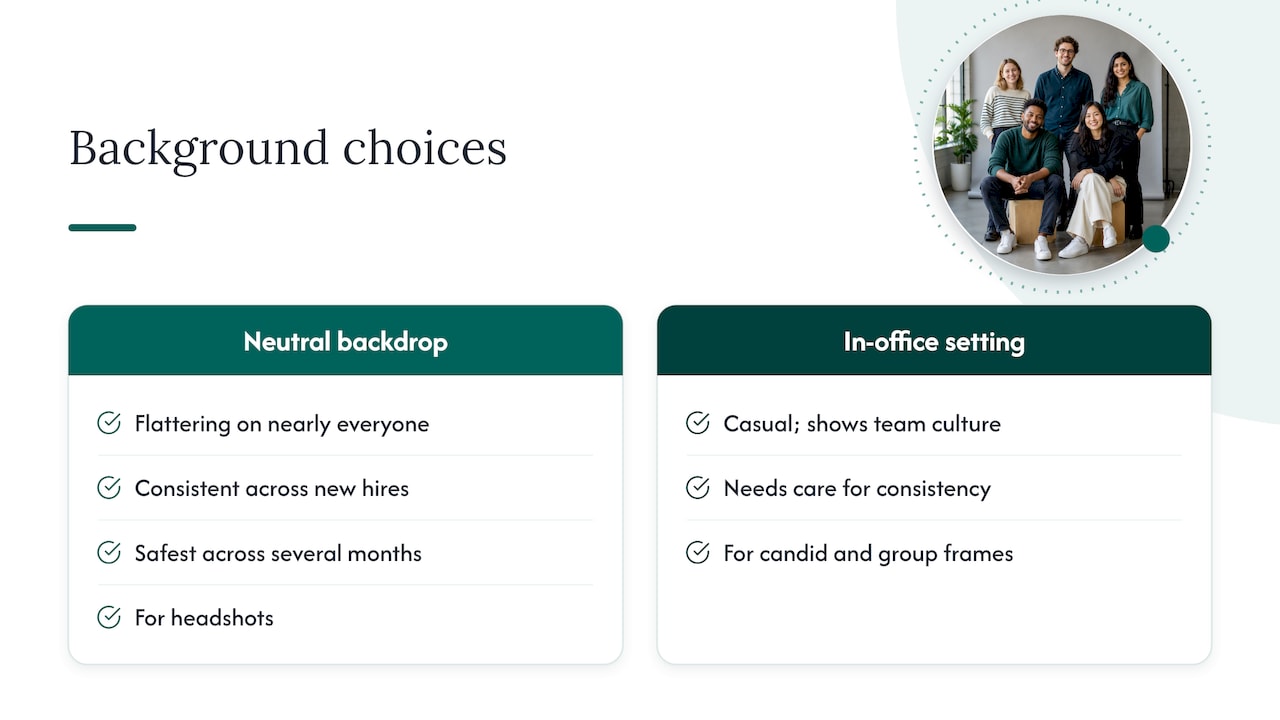
The background should match your brand’s voice. A neutral gray seamless backdrop or soft gradient is flattering on nearly everyone and keeps the set consistent across new hires. It’s also the safest choice if people will be photographed over several months. An in-office setting feels more casual and shows the culture, but it needs more care to look the same from person to person.
Many teams use both: a clean backdrop for headshots and the real workspace for candid and group frames.
Startups rarely sit in one room. Some people work from home, and others join after the shoot. You have two realistic options.
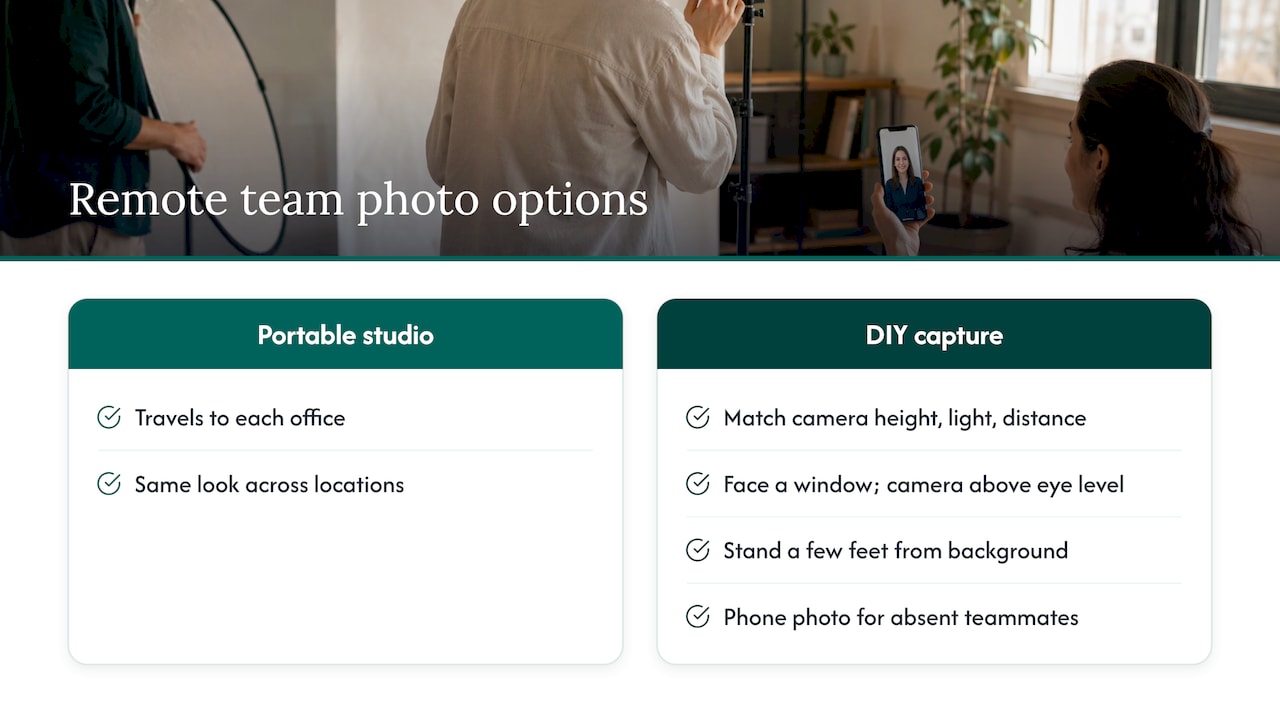
Bring the studio to every location. If your team is split across a few cities, a portable studio travels to each office and produces the same look in each place. This is how we work with companies across several locations.
Standardize a DIY capture for stragglers. If someone can’t be there, ask them to match three things: camera height, light direction and distance from the lens. The easiest version is to face a window, place the camera slightly above eye level and stand a few feet in front of the background. A person nearby can take the photo with a phone, and a designer can then match backgrounds and crop sizes. It won’t match a studio session, but it keeps the gap small until you can schedule a catch-up.
Plan a recurring headshot session, say once or twice a year, so new hires don’t wait long for a matching portrait.
The photos pay off when they appear everywhere your company is judged.
For investor-backed groups, our guide to portfolio company photography explains how to keep a consistent look across several companies.
Most startups wait to invest in visuals until something forces the issue: a raise, a launch, a hiring spike. By then the team is busy and the photos get rushed. We’d argue for the opposite order.
The people in your company are the most credible proof you have. A customer can’t judge your code, and an investor can’t see your culture in a spreadsheet. They can look at the faces behind the product, and they do, long before the first call.
That’s why we treat team photography as part of a strategy, not a one-off deliverable. Every project starts with a discovery call about what the images are for: the website, the deck, recruiting, press. We bring a portable studio to your office, so people are back at their desks in minutes, and we shape the shot list around those uses.
The result we aim for is a library that keeps working: consistent headshots, authentic group and candid frames, and a style you can repeat as you grow.
Kevin
Pricing depends on team size, the number of shoots and the scope. Our published rates are fixed per shoot:
| Package | Price | Best for |
|---|---|---|
| START UP | $2,500 per shoot | Early teams needing headshots and core brand images |
| STANDARD | From $2,000 per shoot | Teams that want branding photography |
| ENTERPRISE | From $3,500 per shoot | Larger organizations and multi-location needs |
| BRANDING ADD-ON | $1,000 per shoot | Extending a shoot with additional branding imagery |
For conferences and events with live photo viewing, our NETWORKING, SUMMIT and CONFERENCE packages are $2,500, $4,500 and $8,000 per shoot. Exact inclusions are on the offer pages, so check them against your team size before you book.
If you’re a startup that has just closed a round, or you’re preparing a launch or hiring push, we can bring the studio to you. Our START UP package is $2,500 per shoot and is built for teams that need professional headshots and brand images quickly. Retouching and a five-day turnaround are part of how we work, and every project begins with a strategy call.
See the START UP package, look at the STANDARD and ENTERPRISE options, or visit our homepage to start a conversation.
Start with a headshot of every person, two or three group portraits and a set of candid workspace shots. A small team under ten people can cover most uses with that. Add vertical crops for social media and a horizontal frame with space for text.
Plan about 5 to 10 minutes per person for headshots. A team of 15 to 20 usually needs two and a half to three hours, and 40 or more people call for a full day or two sessions. Group and candid shots add to that.
Choose solid colors and subtle textures in mid-tones like navy, charcoal or forest green. Avoid tiny stripes, large logos, neon colors and bright white. Agree on a similar level of formality rather than matching outfits.
Yes, if you standardize the setup. Face a window, keep the camera slightly above eye level and stand a few feet from the background. A designer can then match the backgrounds and sizes so the photos sit together on your team page.
