Recruiting Video Examples That Work, and How to Make Your Own


November 10, 2026


An internal communications video is a short piece of video made for your employees instead of your customers. It replaces or backs up the memo, the all-hands email and the slide deck. It works when it carries one clear message, comes from a face people recognize, and reaches staff in the channel they already use. Below you will find the formats worth making, a script structure for company announcements, production and accessibility basics, and a simple way to tell whether the video did its job.
The format is simple: content for people inside the company. One industry guide describes these videos as content that often replaces memos, company-wide emails and slide decks, covering CEO updates, onboarding series, training modules and project briefings.
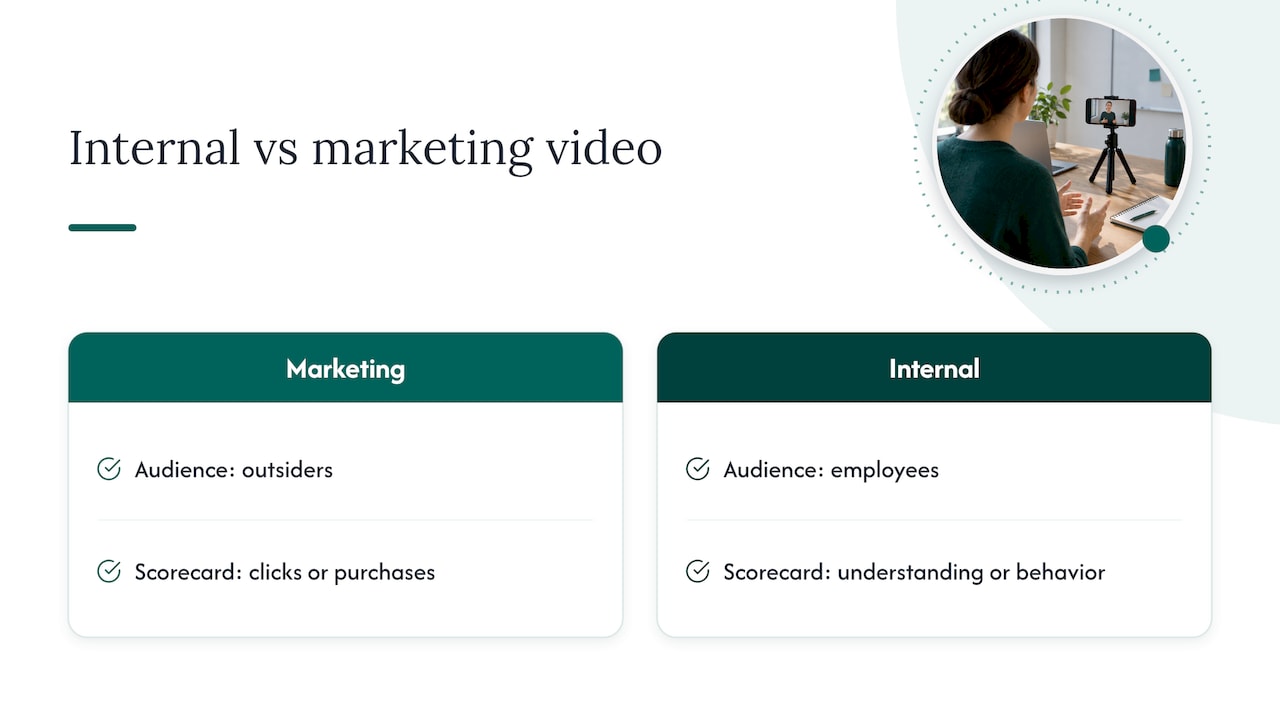
The real difference from marketing video is the audience and the scorecard. A marketing video is aimed at outsiders and judged on clicks or purchases. An internal video is aimed at employees and judged by whether they understood the message, did what was asked, or changed how they work. That shift changes everything: the script, the length, the look, and the metrics.
If you also see this called internal comms video or a company announcement video, it is the same discipline. An announcement is simply the most common single use.
Most teams do not need every format. Pick the two or three that match the messages you send most often.
| Format | Best for | Typical length |
|---|---|---|
| Leader update | Monthly priorities and the reasoning behind a decision | 2 to 4 minutes |
| Company announcement | Reorganizations, policy changes, new tools, benefits, funding news | Under 2 minutes |
| Town hall or all-hands recap | Strategy, results, open Q&A for people who missed it | Cut to key moments |
| Manager briefing | Preparing managers before a change reaches their teams | 2 to 3 minutes |
| Onboarding series | Welcome, values, tools, first-week tasks | Several short clips |
| Employee spotlight | Recognition, team introductions, culture | 1 to 2 minutes |
| How-to or screen recording | Software steps, processes, knowledge transfer | Under 3 minutes |
This list follows the categories in Mindstamp’s practical guide, which also covers animated explainers and interactive videos for policy checks.
Video earns its cost when tone and context matter. Town halls, leader messages, change announcements, recognition moments and policy updates all carry nuance that a paragraph of text flattens. A quick low-stakes update that will be stale tomorrow is usually better as a chat message.
A practical rule: if many people need to understand and act on the message, and it will stay relevant for more than a few days, it deserves a produced video. If it is a one-line reminder, write it.
Announcements are where internal video pays off fastest, and where mistakes are most visible. Follow this sequence.
Marriott’s internal communications team treats audience segmentation as the biggest building block of a major announcement. Meghann Klein, senior director of internal communications there, told Ragan Communications that a leadership video is followed by three follow-up videos for different audiences, and those can branch further. She also said the magic is in the reinforcement.
The lesson for a mid-size company: do not send the same video to the warehouse, the sales team and the finance group. Start from what each group’s workday looks like and why a headline would matter to them. Then make a short, tailored follow-up for each.
For a monthly update, Biteable suggests this order in its guide to company update cadence: a one-line hello and the date range, the two or three developments that matter most, a recognition moment, one clear action or reminder, and a sign-off that points to where people can ask questions. Aim for two to four minutes for the regular update and under 90 seconds for a single-topic clip.
A strategy sounds heavy, but it comes down to four decisions.
Goals. Write them in measurable terms: more employees completing mandatory training, fewer repeat questions to HR or IT, faster acknowledgment of a policy. Avoid goals like improve culture, which no metric can confirm.
Audiences. Segment by role or team, location or time zone, language preference and the device people use. A frontline team on phones needs vertical, captioned clips. Office staff may prefer a link in a newsletter.
A calendar. List each topic with its objective, release date, distribution channel, owner, approver and the metric you will check. Include recurring slots (monthly update, quarterly recap, onboarding refresh) so the work is not rebuilt every time.
A shoot plan. Footage is the expensive part. Group your needs: leader updates, spotlights, a welcome message and a few evergreen explainers can often be captured in one session, then edited into separate pieces over several weeks.
Bad sound loses viewers faster than modest visuals. The W3C Web Accessibility Initiative recommends high-quality microphones, a quiet room and background audio well below the speech, plus a speaker whose face is visible and well lit. It also advises speaking clearly and slowly and avoiding jargon and idioms, which helps non-native speakers, makes captions easier to time, and keeps the message clear for a global workforce.
Treat captions as part of the video, not an extra. They serve employees who are deaf or hard of hearing, people watching without sound at their desk, and anyone in a noisy workplace. Provide a transcript or written summary beside the video too.
It depends on the message. For hard news, such as a CEO addressing a reorganization, a corporate video strategy guide from Playpause recommends calm, direct, human delivery with a plain background, direct eye contact and no music. Overproduced bad news reads as spin. Culture pieces, team spotlights and onboarding can afford more design, better light and a second camera angle.
For most teams that means two looks: a clean, simple setup for announcements, and a more produced one for people-focused content.
Layoffs, leadership exits, acquisitions and restructurings test an internal video program. Keep the format plain and the language direct. Say what is happening, what it means for the viewer, and what happens next. Do not hide the news behind a long preamble.
Trust is built the same way inside a company as outside: through consistent, honest, human communication. If you want broader thinking on how to build trust online, the same principles of authenticity and clarity apply to the tone you choose for employees.
For acquisitions in particular, the video is often the first moment staff from two organizations see leadership speak together. Shoot both teams in the same setting, with the same lighting and framing, so the combined company already looks like one organization.
A great video that no one finds does nothing. Three habits help:
Use a descriptive thumbnail and a plain-language subject line, such as the name of the change and the date it takes effect, not a vague teaser.
Views and completion rates tell you people encountered the video. They do not prove the message worked. D-ID’s Abhigyan Saikia recommends deciding, for each video, which behavior should change and choosing that metric before publishing, so you have a baseline (D-ID).
Good behavior metrics include:
If a long town hall has weak completion, the fix is usually editorial. Cut it down, lead with the decision everyone needs, and add chapter markers.
Most internal video fails for a reason that has nothing to do with budget: the people in it do not look or sound like themselves. A leader reads a script under flat office lighting, and employees tune out.
We build visual content around real people and real moments, and we think that matters even more inside a company. Employees know their leaders. A natural, well-lit, well-recorded message from someone they recognize does more for trust than any amount of graphics.
That is why we bring portable studios to your offices. There is no travel for your team, little disruption to the workday, and the same look in every location. When you are rolling out a change across several sites, consistency is the point.
We also treat every project as strategic, not as a pile of files. Before we shoot, we run a discovery call to learn which messages you send, to whom, and what you want people to do afterward. Then we plan the shoot so the footage serves announcements, onboarding, recruiting and external use together.
Internal visuals deserve the same care as the ones customers see. Your employees are the first audience for your story.
Kevin
We are a nationwide corporate photo and video branding agency. We bring portable studios and production teams to your offices, events and multiple locations, so leaders, managers and teams can be captured in one visit with minimal disruption. Our offers include live photo viewing, retouching and a five-day turnaround.
Pricing is published per shoot. The START UP package is $2,500 per shoot. On the branding page, STANDARD starts from $2,000, ENTERPRISE from $3,500, and the BRANDING ADD-ON is $1,000. If you are planning a conference or summit, see the event options. You can also browse all studio2U services. Our article on internal communications photos shows how stills and video can work together, and the piece on employer brand video covers reusing the footage for recruiting.
Most should run under two minutes, and a single-topic announcement works best at about 90 seconds. A regular monthly update can stretch to two to four minutes if it follows a clear running order. If you have several unrelated messages, make several short videos.
The audience and the goal. A marketing video targets people outside the company and is judged on clicks or purchases. An internal video is for employees and is judged on whether they understood the message and acted on it.
It should state what changed, who it affects, what employees need to do, by when, and where to ask questions. Lead with the main message in the first seconds, have the right leader deliver it, and add captions and a written summary.
Add captions and a transcript, record clean audio in a quiet room, and keep the speaker’s face visible and well lit. W3C guidance also recommends speaking clearly and slowly and avoiding jargon and idioms.
Yes. Leader footage, team portraits and spotlights captured for an internal series can often be reused for recruiting, the website and investor or partner communications. Plan this at the discovery stage so the shoot covers each use.
