How to Schedule Headshots at Work Without the Chaos
%20(1)%201.png)
.png)
.png)
October 20, 2026
%20(1).jpg)

To schedule headshots at work, pick one owner, bring a photographer to your office, split the team into short time slots and tell everyone what to expect at least two to three weeks ahead. Done this way, a team of 20 can be photographed in a single morning. Nobody has to leave the building or lose a day of work.
This guide is for the person who has been handed the task: an HR lead, an office manager or a marketing manager. It covers how to choose a date, how long to book, how to build the slot schedule, how to prepare people, and what to do when the day runs behind.
When employees book their own studio sessions, you get a dozen backgrounds, a dozen crops and a dozen lighting styles. You also get no-shows and a trail of expense requests. When the photographer comes to you, everyone is shot against the same backdrop in the same light, and the whole project fits into one calendar block.
The cost to the business is small too. Each person is away from their desk for a quarter of an hour, not an afternoon. We cover the wider case in the benefits of on-site headshots, and the practical side of keeping work moving in how to minimize disruption on photo day.
On-site also helps when the team is spread out. If you have offices in several cities, one consistent setup carried from site to site keeps the look uniform across all of them.
The most common reason headshot days go wrong is that nobody owns them. Someone sends a calendar invite, the photographer arrives, and half the team turns up in different outfits or not at all.
Assign one person who is responsible for:
Then write a one-page style spec before you book anything. It should answer four questions:
The spec is what protects you six months later. When a new hire joins and needs a photo, you can match it to the rest of the team instead of starting from scratch. More detail on setting standards is in our corporate headshot guidelines.
Pick a date that suits the most people, not the most senior person. A few things to check:
Give people at least two to three weeks of notice. That is long enough for them to plan outfits and clear their calendars, and short enough that they do not forget.
The maths is simple. An efficient headshot setup runs somewhere between 5 and 10 minutes per person once the lights are set and the workflow is moving. The variation comes from how well people are prepared, how many frames the photographer takes and whether people view their images on the spot.
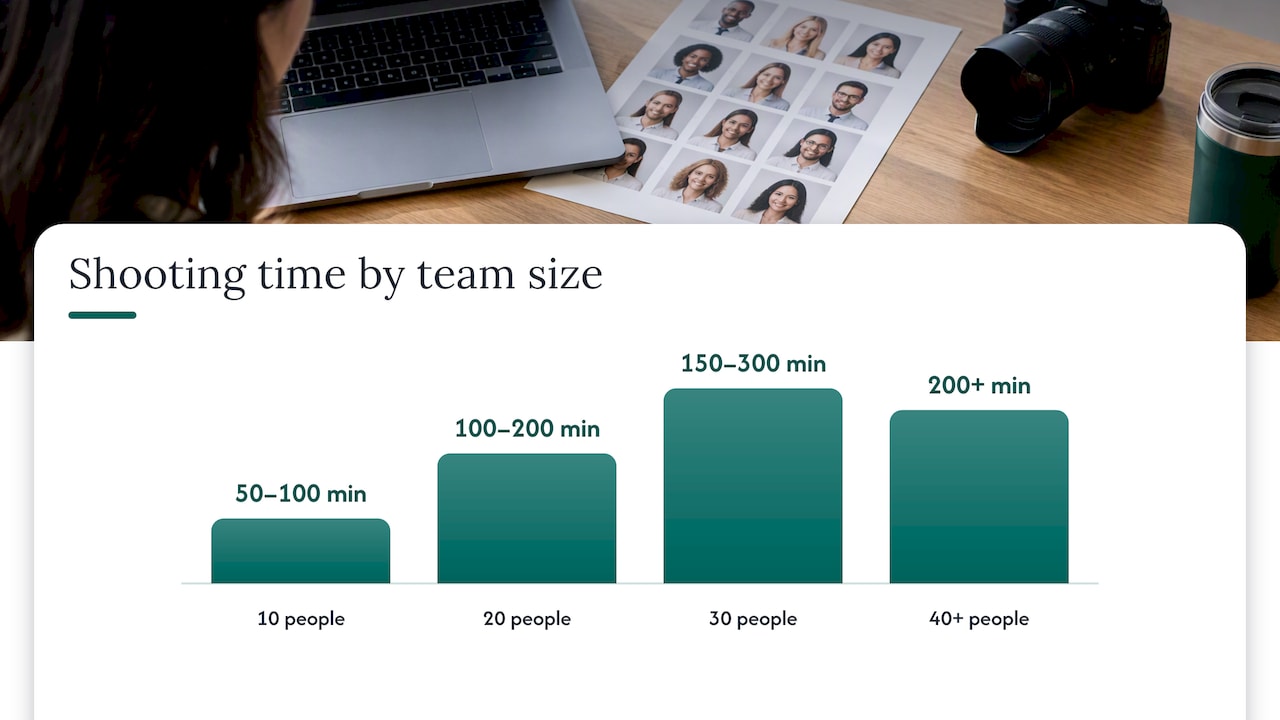
Here is a planning table using a conservative 10 minutes per person plus a buffer. These are planning estimates, not guarantees, and your photographer will refine them once they know the room and the group.
| Team size | Shooting time at 5–10 min each | Suggested booking |
|---|---|---|
| 10 people | 50–100 min | 2 hours |
| 20 people | 100–200 min | Half day (3–4 hours) |
| 30 people | 150–300 min | Half day plus buffer, or 5 hours |
| 40+ people | 200+ min | Full day, or two shorter sessions |
Two cautions. First, add 30 to 45 minutes for setup and breakdown on top of shooting time, which is usually done before the first slot and after the last. Second, do not schedule to the minute. If every slot is 10 minutes and one person needs a retake, the whole afternoon slides.
For teams above about 40, splitting into two days or two sessions keeps energy up for both the photographer and the subjects. Late-afternoon shots of tired people rarely look as good as morning ones.
First come, first served sounds friendly, but it creates queues at the start and a dead room at 3 p.m. Fixed slots are better.
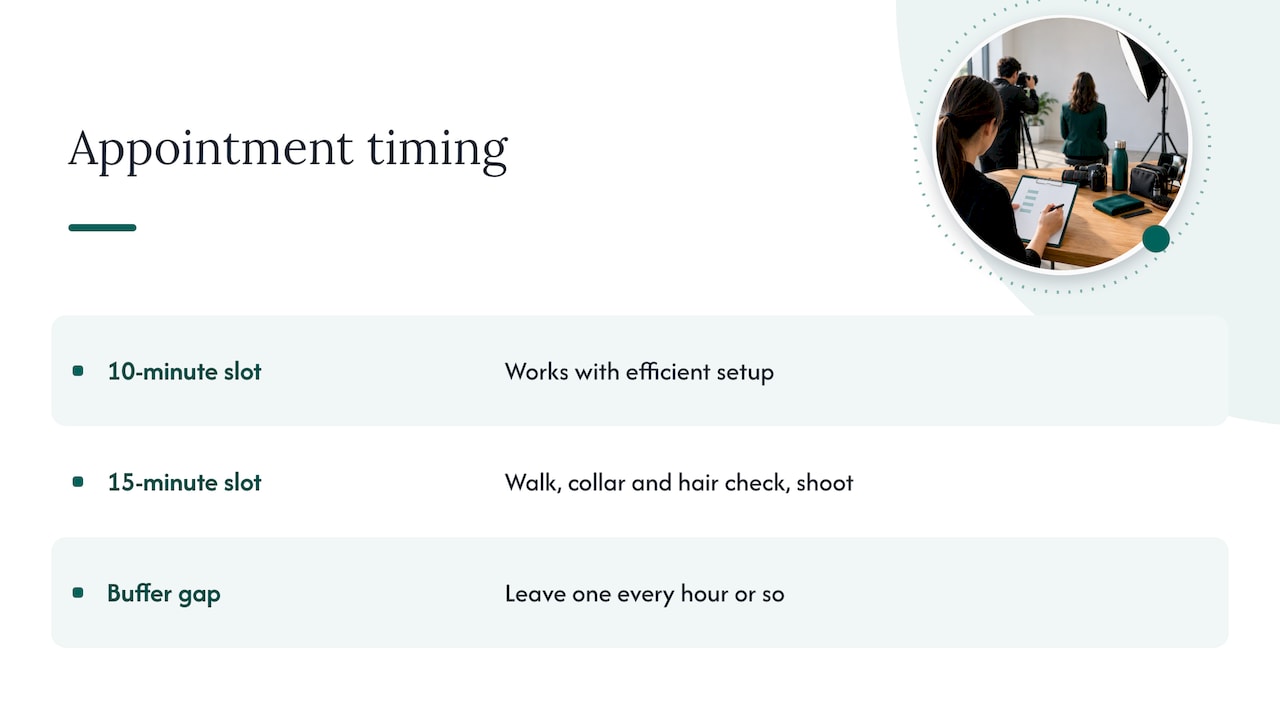
A 15-minute slot allows for walking over, a quick check of collar and hair, and the shoot itself. If you have a very efficient setup, 10 minutes works. Leave a gap every hour or so to absorb overruns.
Schedule departments together. It is easier to remind a whole team at once, and a manager can nudge a no-show from the same group. Put executives early. They are the most likely to be pulled into meetings, and their images are often needed first.
For fewer than ten people, a shared calendar invite for each person is enough. For larger groups, a shared sheet or a scheduling form with limited slots lets people choose a time that fits their day. Whatever you use, make sure it shows the slot, the room and the dress-code reminder in one place.
A few people will cancel. Keep a short waiting list of employees who can fill a gap on short notice, and ask the photographer how they would like standby people handled.
For a full template, see our team headshot schedule guide and the walkthrough on how to organize employee headshots.
The space matters more than most people expect. Walk it with the photographer, or send photos of it, before the day.
Look for:
If you want a more relaxed, in-context look, a lobby, a window-lit corner or a work area can work. Agree on the location in advance rather than improvising.
The most common soft failure of a headshot day is self-consciousness. People who dread the camera tense up, and the tension shows on their face. Good preparation takes the pressure off.
Send a short note a week before and a reminder the day before. Include:
Tone matters. Frame the day as a perk, not an obligation. If participation is optional, say so. If it is expected for client-facing roles, say that too.
If you are also thinking about how the photos fit into your wider brand story, this primer on visual storytelling tips is a useful read to share with whoever manages your website and social profiles.
The slowest part of many headshot days is selection, which happens after the shoot when everyone has opinions. Settle it up front.
Options include:
We explain the trade-offs in same-day headshot selection. Whichever you choose, set a deadline for retouching requests and a clear turnaround for delivery. Our post on headshot turnaround time explains what to expect.
Here is what a morning might look like. Adjust it to your photographer’s setup.
| Time | What happens |
|---|---|
| 8:00–8:45 | Photographer arrives, sets up lighting and backdrop, runs test shots |
| 8:45–9:00 | Owner walks the room, confirms sign-up sheet and standby list |
| 9:00–10:30 | First block: leadership and client-facing team, 15-minute slots |
| 10:30–10:45 | Buffer and catch-up |
| 10:45–12:15 | Second block: remaining departments |
| 12:15–12:30 | Standby and make-up slots |
| 12:30–1:00 | Breakdown, image selection deadline confirmed |
That adds up to a half-day with real slack in it. If your photographer works faster, you finish early, which nobody complains about.
Even well-run days slip. A few fixes:
Afterwards, add new hires to a quarterly or twice-yearly mini session so your set stays current. Our guide to company-wide headshots covers how to keep that rolling.
Most companies handle headshots as a favor to employees. We see them as brand assets that people see before they ever speak to your team: on your website, in sales decks, on investor materials, on recruiting pages and in press features.
That changes how you schedule. A good schedule is not just about avoiding awkward waiting. It determines whether the images look like they belong to the same company.
We bring a portable studio to your office and run the day to a clear plan, so the disruption stays small. Every project starts with a discovery call, where we ask what the images need to do for you. For a startup that just closed a round, that may be the leadership team and a few announcement-ready portraits. For a firm that just completed an acquisition, it may be aligning two teams that have looked different until now.
Our advice is simple: decide the purpose first, then the date. If you know the photos will be used for a fundraising announcement or a new website, you will make better choices about attire, background and who needs to be there.
— Kevin
We bring portable studios to your office, so your team stays at work. Our on-site service includes live photo viewing, retouching and a five-day turnaround.
Pricing is published and fixed per shoot:
If you are planning a team session and want help choosing the right format, start from our main site and we will set up a discovery call. For conference or event photography, see the NETWORKING, SUMMIT and CONFERENCE options.
Book the photographer at least a few weeks ahead, and tell employees two to three weeks before the date. That gives people time to clear their calendar and choose an outfit. For larger teams or multi-office projects, start earlier so the photographer’s calendar is not the constraint.
Plan for 5 to 10 minutes of shooting per person with an efficient setup, and book 10 to 15 minute slots to leave room for arrival and a quick check. Add setup and breakdown time for the photographer. Nervous subjects or complicated looks can take longer, so build in buffer.
Yes, but it takes planning. Pick the day when most people are in the office, and run a second short session for those who miss it. If you have several offices, ask the photographer to visit each one with the same setup so the images match.
That is your policy call. Many companies make it expected for client-facing roles and optional for others. Whichever you choose, say so in the first announcement, and explain how the images will be used so people feel comfortable.
Send the date, time slot and room, a short attire guide and a line explaining that the photographer will direct posture and expression. A one-page style spec keeps everyone on the same page. A reminder the day before cuts no-shows.
