One-Day On-site Headshots: Templates & Proofs for Corporate Organizers
%20(1)%201.png)
.png)
.png)
August 14, 2026
%20(1).jpg)

Corporate headshot guidelines are a company-level standard that controls crop, lighting, background, file specs, retouching limits, and usage rights so every employee portrait works across your website, LinkedIn, press kits, and HR systems without manual fixes. At minimum, your guideline document should define:
Marketing owns approval. Master files live in a single DAM or shared cloud folder, not in individual inboxes.
A well-run corporate headshot program requires written standards, an operational workflow, and a named owner before the first shoot day.
| Point | Details |
|---|---|
| Standardize crop and specs | Master at 2,000×2,000 px sRGB; eyes at 40% from top; web export at 800×800 px. |
| Pick a background family | Choose neutral, mid-tone, or environmental and hold that family across every location. |
| Set a retouch policy | Allow color and exposure corrections; prohibit structural edits; document with a before/after reference. |
| Schedule refreshes in advance | Rolling updates for new hires within 60 days; full gallery refresh every 24–36 months. |
| studio2U on-site programs | studio2U delivers portable studio shoots nationwide with a five-day turnaround and a single delivery package. |
The guidelines apply to anyone whose portrait appears in a public or client-facing context: executives, directors, client-facing staff, new hires within their first 90 days, and anyone listed on the company website or in proposals. Campaign shoots and speaking-circuit portraits follow a separate creative brief.
Primary use cases to plan for:
Measurable objectives your guideline should set:
Tying the guideline to metrics gives HR and marketing a shared definition of “done” and makes vendor SLAs enforceable. A consistent headshots brand also requires a documented refresh cadence so portraits don’t drift as the team grows.
Background choice is the single decision that most affects gallery cohesion. Pick a family, not a hex code: light neutral (white, off-white, light gray), mid-tone neutral (medium gray, warm taupe), or environmental (office interior with shallow depth of field). The specific shade can vary slightly across locations as long as it stays within the family. Light neutrals work well for web thumbnails; mid-tones read better on large leadership cards where contrast matters.
Crop and composition: Use a 1:1 square as the master crop, derived from a 4:5 vertical master. This placement keeps the face centered in circular profile thumbnails and leaves enough headroom for rectangular crops without reframing. Per Headyshot’s team headshot guide, a 2,000×2,000 px master at sRGB gives you enough resolution to derive every downstream size without re-shooting.
Lighting: A soft key light at roughly 45 degrees with a fill card or second light at half power produces even, shadow-free results that hold up across skin tones. Avoid hard direct flash. For remote captures, require a window on the subject’s left or right (never behind them) and prohibit overhead fluorescent-only setups.
Expression and posing: Brief employees with a three-word script: friendly, confident, relaxed. Shoulders angled slightly toward camera, soft smile, eyes directly to lens. A forward lean of a few inches adds engagement without looking forced. For quick on-set coaching, pose and expression tips that target shoulder angle and eye contact help non-model employees settle in within the first 60 seconds.
Quick dos and don’ts:
Pro Tip: Shoot one reference frame at the start of each session and pin it to the studio monitor. Every subsequent frame gets compared to it before the subject leaves the set.
Save masters as sRGB, not Adobe RGB. Adobe RGB looks richer in Photoshop but shifts toward muted greens when browsers render it without a color-managed viewer. For PR and leadership assets, deliver an uncompressed TIFF alongside the JPEG so press teams can resize without generation loss.
Naming convention template: Smith_Jane_Marketing_NYC_2026.jpg
Include role or seniority only if your DAM filters by it. Keep the convention short enough that someone can type it from memory.
The goal is a palette that reads cohesively across a gallery, not a uniform. Studio2U’s corporate headshot attire guidance recommends neutral palettes (navy, charcoal, white, gray, camel) for client-facing industries like finance, legal, and consulting, with the practical instruction to bring two outfit options: one safe, one with a bit of personality. That second option gives employees agency while keeping the photographer in control of the final selection.
Wardrobe rules to include in your policy:
Sample prep-email snippet:
Accessibility and dignity are not afterthoughts; they are operational requirements. Build them into the schedule before the shoot day, not as exceptions on the day.
Pro Tip: For distributed or global teams, a repeatable remote capture pipeline with defined lighting and background rules keeps remote submissions visually consistent with studio work, so no employee’s portrait looks like an outlier in the gallery.
The standard: a retouched portrait should look like the employee on their best day, not a different person. Allowed edits are color balance, exposure correction, stray-hair cleanup, and subtle skin-tone evening. Forbidden edits include altering facial structure, extreme smoothing that removes natural texture, changing hair color, and adding or removing physical features.
Document retouch levels in a one-page standard with a before/after reference image. The approval flow works in three steps: employee reviews proofs and selects preferred frame, marketing confirms the final retouched image meets brand standards, archive master saved unretouched alongside the approved deliverable.
A standard corporate model release for headshots should specify: permitted uses (web, press, internal directories, proposals, recruiting materials), the territory (typically worldwide for digital use), the duration (perpetual or a defined term), and whether the company or the photographer holds the master copyright.
Minimum fields to collect at intake:
For vendor contracts, clarify whether the photographer licenses images to the company or assigns copyright outright. Assignment is cleaner for enterprise programs because it removes licensing ambiguity when images are repurposed years later.
A single source of truth prevents the “which version is current?” problem that plagues large team galleries. Structure your folder system by year, then location, then department:
Headshots_2026NYC, Chicago, RemoteMarketing, Engineering, SalesMetadata fields to populate in your DAM or cloud storage: employee name, role, department, shoot date, retouch level (light/standard/executive), and approval status. For DAM platform considerations, asset management options vary significantly in search and permissions features.
Delivery package per employee: master TIFF, web JPEG (800×800 px), LinkedIn JPEG (400×400 px), signed release PDF. Distribution owner: marketing ops or the DAM administrator, not the photographer.
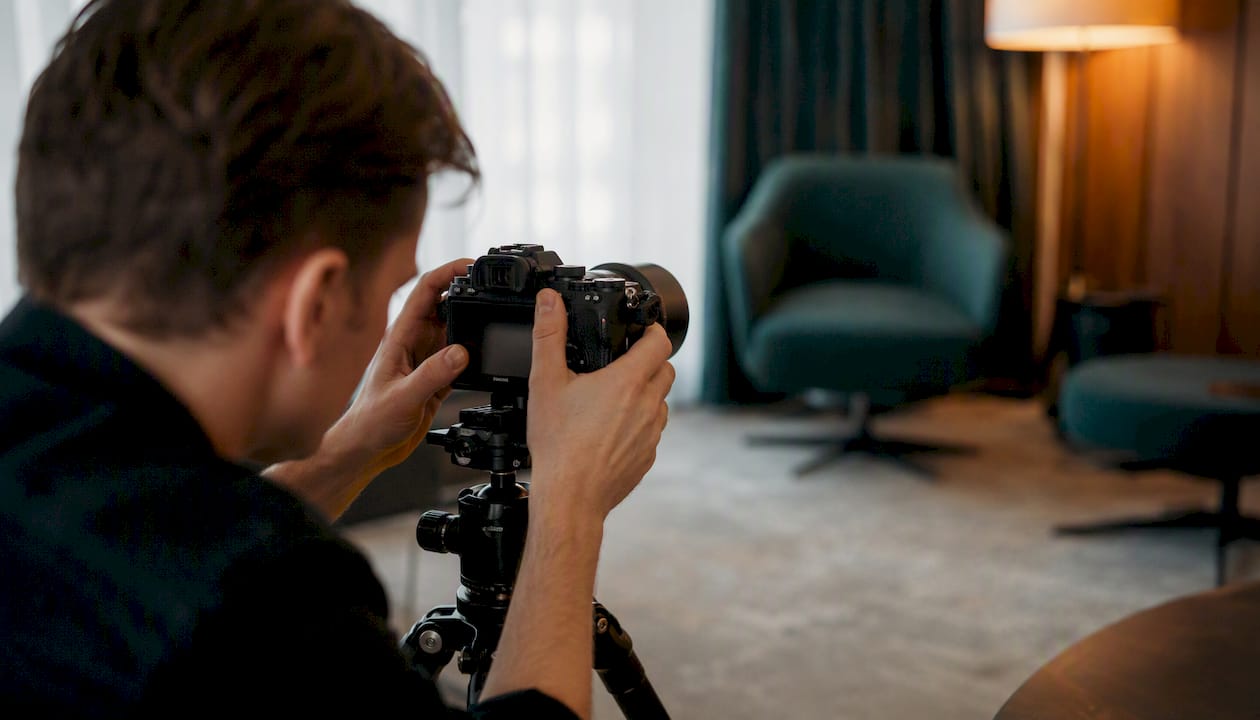
Treat shoot day like a production, not a drop-in event. Allocating roughly 7–10 minutes per person for one look keeps a 30-person team shootable in a single day without rushing anyone.
Day-of schedule flow:
Staffing roles: photographer, one lighting/equipment assistant, one intake coordinator, one float for wardrobe checks and minor touch-ups, one QA reviewer (can be a marketing team member).
Equipment checklist for a portable studio:
Contingency plans: For power failure, have a battery-powered strobe as backup. For equipment failure, carry a second camera body. For outdoor shoots, schedule a rain date at booking and identify an indoor fallback space in the same building.
Shot list per person (one-look session): three to five frames at standard crop, one wider environmental frame if the background allows, one close-crop square for social. Executive sessions add a second look and a wider editorial frame.
Approval workflow:
Refresh cadence: rolling updates for every new hire within 60 days; full gallery refresh every 24–36 months. Trigger an unscheduled refresh after a rebrand, a major acquisition, or a significant leadership change.
Enforcement: flag non-compliant images in the CMS with a 30-day grace period for replacement. Track compliance rate monthly: percentage of published profiles using an approved portrait. A simple Slack or Teams reminder tied to the HR onboarding checklist handles most new-hire compliance without manual policing.
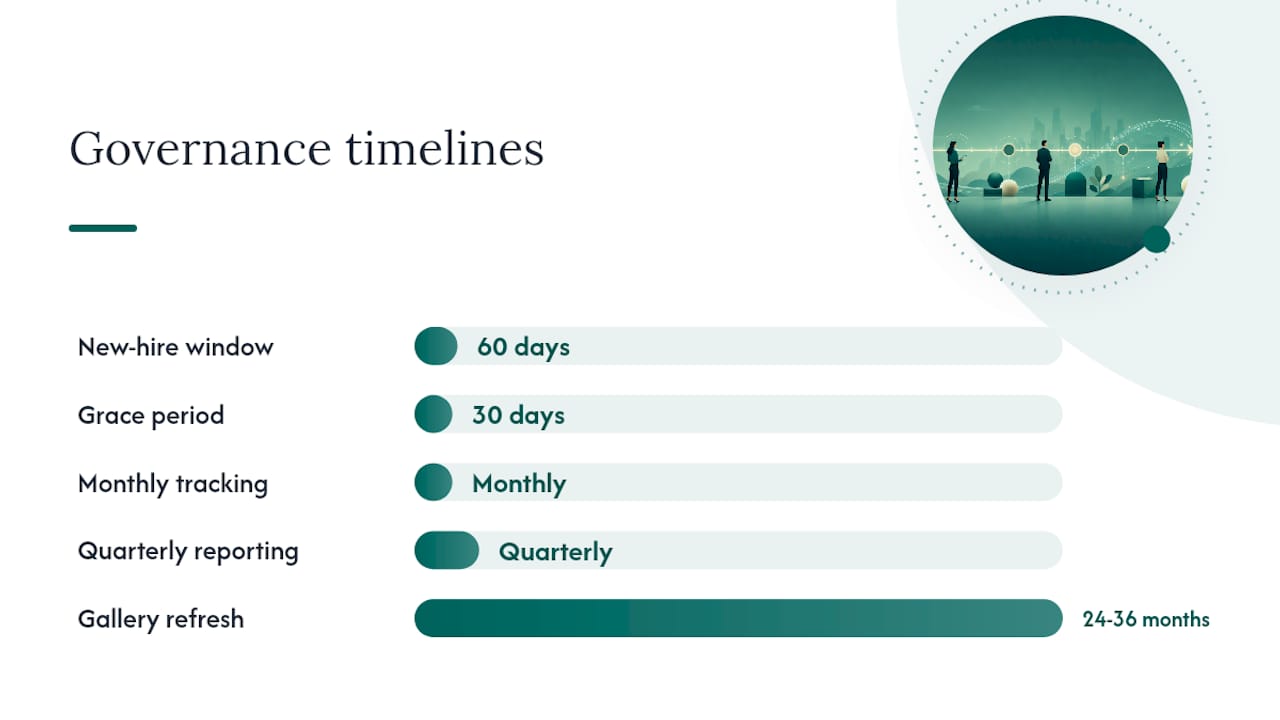
Metrics to report quarterly: percent of profiles updated, average time from shoot to published image, and compliance rate across departments. Tying headshot compliance to the employer brand program gives HR a business case for budget.
studio2U provides vendor-ready templates that marketing and HR can hand directly to an internal coordinator or an outside photographer.
Sample intake form fields: employee name, department, location, preferred shoot time, wardrobe confirmation (two options packed), accessibility needs, signed release.
Standard shot list (one-look session): 3–5 standard crop frames, 1 square social crop, 1 environmental wide frame. Two-look session adds: 3–5 frames in second outfit, 1 editorial wider frame.
studio2U operational checklist for a single shoot day:
| Phase | Task | Owner |
|---|---|---|
| Pre-shoot (1 week out) | Send prep email; confirm headcount and schedule | Marketing coordinator |
| Pre-shoot (48 hours) | Confirm studio space, power access, and backup plan | Photographer / studio2U |
| Day of | Setup, lighting test, reference frame captured | Photographer |
| Day of | Intake, release signing, queue management | Intake coordinator |
| Post-shoot (24 hours) | Raw selects delivered to marketing | Photographer |
| Post-shoot (5 days) | Retouched finals delivered; naming and folder structure applied | studio2U post-production |
studio2U’s standard retouch SLA is five business days from proof approval to final delivery. The delivery package includes master TIFF, web JPEG, LinkedIn JPEG, and signed release copies, organized by the naming convention agreed at intake.
Ventilation matters more than most teams realize. Choose a room with windows that open or confirmed HVAC airflow; a sealed conference room with 20 people cycling through gets uncomfortable fast and affects how employees look on camera.
Standard protocols for any on-site session: sanitize all shared surfaces (chair, posing stool, any props) between subjects. Keep the studio space to essential personnel only: photographer, one assistant, and the current subject. For sessions where health screening is relevant, follow your organization’s current workplace health policy and communicate any requirements in the pre-shoot email so employees arrive prepared.
Per-person cost for an on-site headshot program varies by team size, location, and session length. Larger headcounts reduce per-person cost because setup, travel, and editing overhead is spread across more subjects. Block booking a full day for 20 or more people is consistently more cost-efficient than scheduling individuals across multiple half-day sessions.
For urgent or rapid-turnaround needs, some vendors offer priority scheduling with a 48-hour delivery option at a premium.
The pre-shoot communication is where most programs lose time on shoot day. Employees who arrive unprepared need extra coaching, slow the queue, and often request reshoot opportunities.
Send a prep email 5–7 days before the session covering: what to wear (with the wardrobe snippet from the policy), what to expect (7–10 minutes, one or two looks, immediate image review), and what to bring (two outfit options, any grooming items for touch-ups). A follow-up reminder 24 hours before the shoot cuts no-show rates significantly.
Include a one-paragraph description of the expression and posing guidance so employees can practice in a mirror. Phrases like “think of someone you genuinely like walking into the room” produce more natural expressions than “smile for the camera.”
The right vendor for a corporate program is not necessarily the photographer with the most artistic portfolio. Evaluate on: experience running multi-person on-site sessions (not just individual portrait work), a documented portable studio setup, a clear retouch and delivery workflow, and the ability to match an existing visual standard rather than impose their own aesthetic.
Vendor evaluation criteria:
Require a test shoot or reference call with a previous corporate client before signing. In the contract, specify: image ownership or licensing terms, retouch scope, delivery format, and what happens if the shoot is rescheduled due to weather or equipment failure.
Internal stakeholder briefing (one-page summary):
Vendor briefing checklist:
Hand both documents to the photographer at contract signing, not on shoot day. A vendor who receives the brief late will default to their own workflow, and correcting that after delivery costs more time than the brief would have taken.
The most common failure mode is not a bad photographer. It’s a program that starts with good intentions and drifts because no one owns the standard after the first shoot.
The second most common problem: ad-hoc remote submissions. Someone joins from a home office, HR asks them to send “a professional photo,” and six months later the team page has 40 consistent portraits and one LinkedIn selfie from 2019. The fix is a written remote capture protocol with a lighting requirement, a background requirement, and a minimum resolution, enforced the same way the in-office standard is.
The third: last-minute scheduling. When headshots are booked the week before a website launch, there is no time to reshoot, retouch, or handle no-shows. The images that go live are whatever was available, not what the standard requires.
The small operational change that delivers the biggest consistency gain is almost always the reference frame.
Three rules of thumb for every program: own the standard in writing before the first shoot, enforce the remote capture protocol as strictly as the studio standard, and schedule the next refresh before the current one is complete.
Running a consistent headshot program across multiple offices or a fast-growing team is an operational problem, not just a creative one. studio2U solves it by bringing a portable professional studio directly to your location, anywhere in the United States, with a documented shot list, intake workflow, and five-business-day retouch-to-delivery SLA built in.

Every session follows the same lighting setup, crop standard, and retouch scope, so your gallery stays consistent whether the shoot is in New York, Miami, or San Francisco. Marketing gets a single delivery package: master files, web crops, LinkedIn crops, and signed releases, organized and named to your convention. HR gets a scheduling and intake process that handles 10 people or 200 without adding coordination overhead to your team.
To book an on-site session or download studio2U’s headshot program templates, visit studio2U’s headshot services.
Export a separate 800×800 px JPEG for web and a 400×400 px JPEG for LinkedIn.
Plan 7–10 minutes per person for a single-look session. Executive sessions with two looks or an environmental frame typically run 15–20 minutes.
Update portraits for new hires within 60 days of their start date, and run a full gallery refresh every 24–36 months or after a significant rebrand or leadership change.
Color balance, exposure correction, and stray-hair cleanup are standard. Altering facial structure, extreme skin smoothing, or changing hair color falls outside acceptable bounds and should be explicitly prohibited in your written policy.
studio2U brings a portable professional studio to each location, applies the same lighting and crop standard at every site, and delivers a single organized package with master files, web crops, and signed releases within five business days of proof approval.
