Live Photo Viewing for Headshots: How It Works at Corporate Events


November 6, 2026


Live photo viewing means people see their headshots within moments of being photographed, on a screen at the shoot, instead of waiting days to find out whether the picture worked. The photographer’s camera sends frames to a display or a personal gallery as each person finishes. Nobody leaves unsure about their image, and your team skips the back-and-forth of “can we reshoot mine?” emails. This guide covers how the workflow runs, what it needs, how to protect privacy, and what to do when the connection drops.
A traditional headshot day works like this: the photographer shoots, takes the files away, culls them and sends a proof gallery days later. People then pick a favorite from a set they have not seen since the moment they were photographed. Many have already forgotten the expression they made.
Live photo viewing moves that review to the moment of capture. Images appear on a monitor beside the camera, on a larger screen, or in a personal gallery the person opens on their phone. They can see whether their eyes were open, whether the smile looks natural and whether they like the angle. If not, they take another set of frames while the lighting and the photographer are still in place.
It is not the same as Apple’s Live Photos feature, which records a short clip around a snapshot on an iPhone. The term here describes a professional workflow for corporate and event photography. If you want to see how our own selection process fits in, we describe it in our guide to live photo selection for headshots.
The benefits are practical:
For teams spread over several offices, this also shortens the whole project. The same logic applies to our headshot turnaround time: when selection happens during the shoot, the editing stage starts with decisions already made.
The details differ between providers, but the chain from camera to screen follows a common pattern.
On a one-room office shoot, steps 1 to 4 can all happen at one table with a laptop and a screen. At a large conference they run in parallel across several stations.
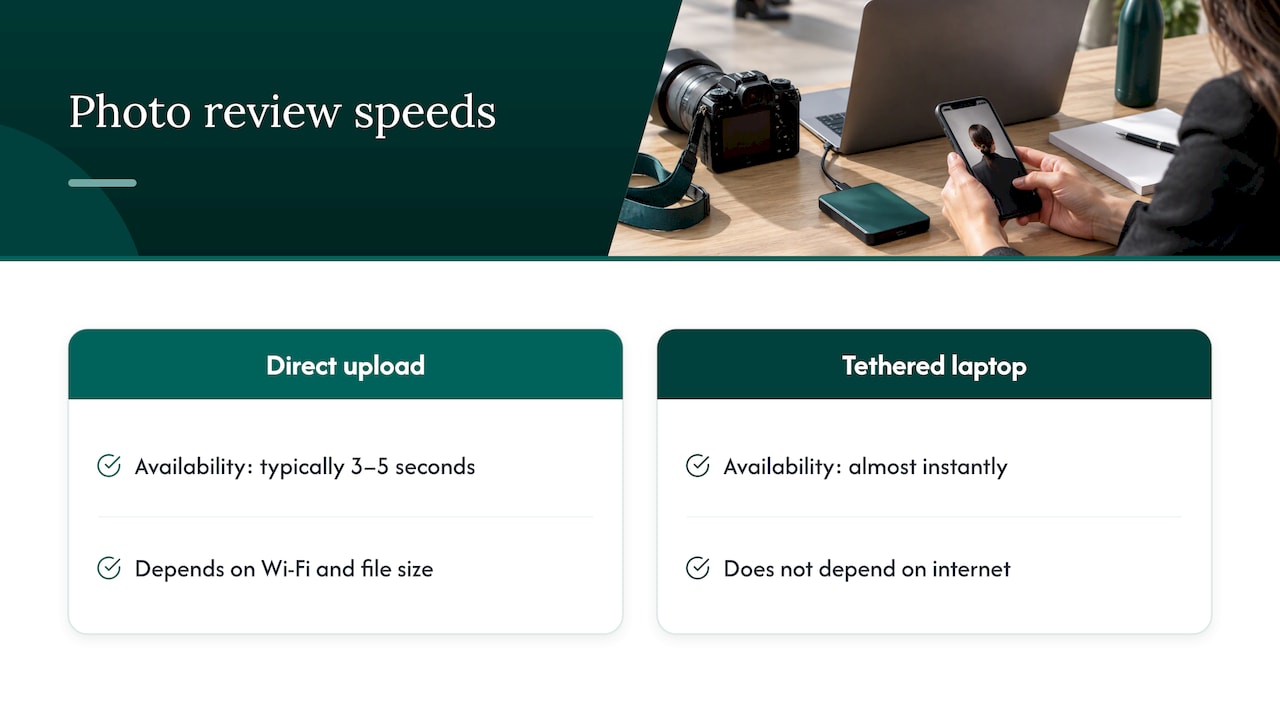
Speed depends on the connection and file size. One company that sells event photo-sharing software says its direct-upload setup typically makes images available within 3 to 5 seconds, depending on Wi-Fi and file size. Treat that as a best case under good conditions. A tethered laptop in the same room as the camera shows a frame almost instantly, because it does not depend on the internet at all.
The setup is lighter than most organizers expect. For a private review at a corporate shoot you need:
For a public display such as a live wall at a conference, the requirements grow. One event guide lists a screen or projector, a device running a full-screen browser, stable internet, QR codes sized to be scannable and a moderation decision before doors open.
At a small office shoot, one photographer can handle capture and review. On larger days, the sensible split is a photographer who keeps shooting and a second person who greets people, confirms names and helps them review. Our portable studios and production teams come to your location, and we scope the crew to the size of the day.
Need to plan the logistics inside your own building? Our posts on how to schedule headshots at work and how to minimize disruption on photo day cover room choice, time slots and keeping people at their desks as much as possible.
There is no single number, and any provider who gives you one without asking about your setup is guessing. Three things move it most:
We size the day after a discovery call about headcount, locations and the number of looks you want. That is how we give you a number that fits your team rather than a generic one.
The moment a screen shows faces, privacy becomes a design question. Two separate issues matter: who can see an image, and what you may do with it afterward.
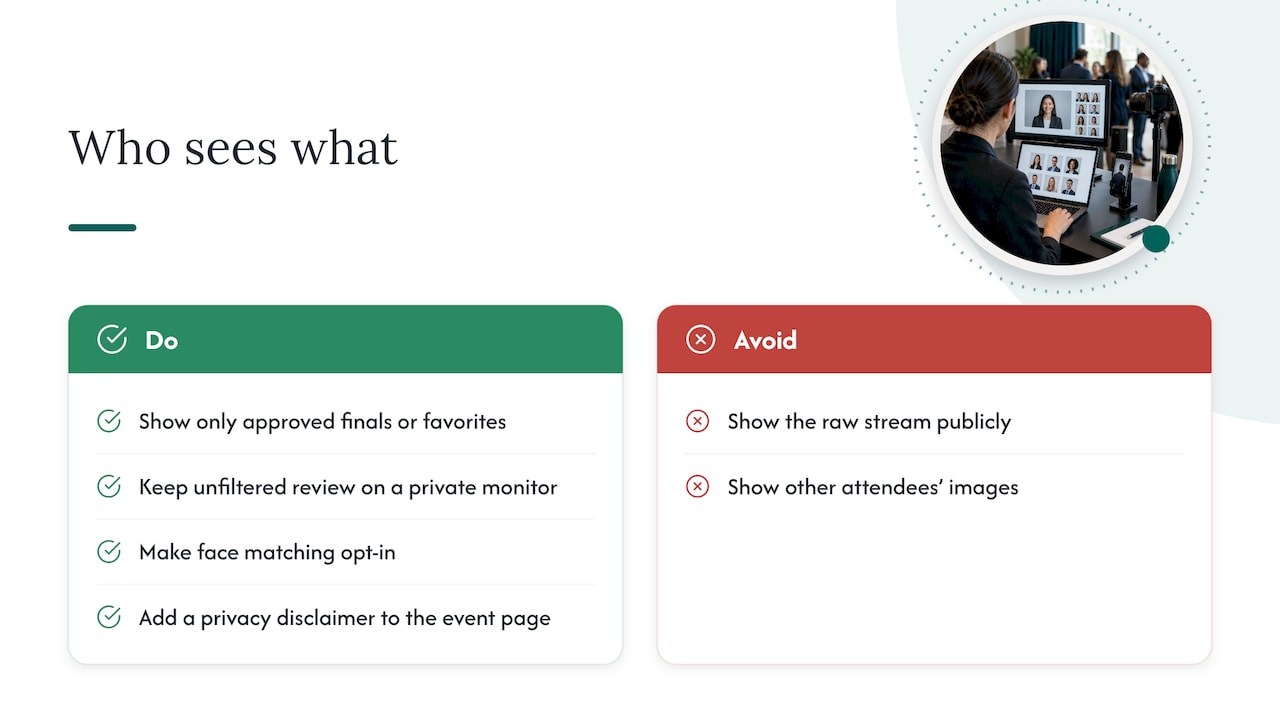
For headshots, the safest default is that people see their own images and nobody else’s. Platform documentation from one photo-sharing tool describes a mode where the full gallery is disabled and a personal link or face search returns only the participant’s matching images, with an access code as an option.
At a public-facing screen, the host should decide beforehand what is shown. Show only approved final images or a rotating set of favorites, never the raw stream. A private monitor at the station keeps the unfiltered review between the photographer and the subject.
If you use face-matching to help attendees find their pictures, make it opt-in. One event-photo provider’s help documentation says its face matching is opt-in, guests supply a reference image and the search photos are not kept after processing. It also calls for a privacy disclaimer on the event page.
There is no single federal rule that covers every event, so organizers usually follow best practice from institutions that run photo-heavy events. The patterns are consistent:
Taken together, the practical model has two layers. General event coverage gets a visible notice and a real way to opt out. Individual headshots used for promotion get a signed release. Headshots for an employee directory or team page are covered by your own company’s policy, so it helps to have one: see our post on employee headshot policy. If your legal team has specific requirements, they should review your notice and release wording before the event.
Tethered review on a laptop works without internet. What can fail is cloud upload, sharing links and public displays. Plan for it before the day.
Ask your venue for its network details early, and tell the photography team whether guests will be on the same network. Congested guest Wi-Fi is the most common cause of slow galleries.
Live viewing is one of the simplest ways to raise the quality of a corporate headshot day, and it is part of how we run on-site shoots. The photo is not the product. The product is a team that walks away feeling good about how it looks, and a marketing manager who does not have to chase approvals.
We bring a portable studio to your office, event or portfolio company, so the people being photographed stay close to their work. When they can see the frame as it is taken, the awkwardness drops, and the pictures get better as the session goes on.
Every project starts with a discovery call, because a start-up announcing a funding round needs something different from a private equity firm aligning the brands of two merged companies. Live viewing, retouching and a five-day turnaround are built into how we deliver, so the final images are consistent across every location and every channel they will be used in.
Kevin
Live photo viewing is part of our on-site event content creation, alongside retouching and the five-day turnaround. Which package fits depends on what you are shooting. Prices below are per shoot, as published on our site.
| Package | Price | Best for |
|---|---|---|
| START UP | $2,500 | Teams that need professional headshots after a funding round or a hiring push |
| STANDARD | from $2,000 | Branding photography for growing companies |
| ENTERPRISE | from $3,500 | Larger organizations and multiple looks or locations |
| BRANDING ADD-ON | $1,000 | Extra branding content added to a shoot |
| NETWORKING | $2,500 | Networking events |
| SUMMIT | $4,500 | Mid-size summits |
| CONFERENCE | $8,000 | Large conferences |
If you are planning headshots for speakers, our post on conference speaker headshots walks through what to prepare.
We bring the studio to you: portable setup, minimal disruption, live photo viewing so your people approve their images on the spot, then retouching and delivery in five days. Tell us your headcount, locations and goals on a discovery call, and we will recommend the right package. See our services or go straight to the conference packages.

We work with technology start-ups, venture and private equity firms, accelerators, financial services organizations and event organizers in Florida, Massachusetts, New York, the San Francisco Bay Area, Austin, Dallas-Fort Worth and Houston.
Before the day:
On the day:
After the day:
No. An iPhone Live Photo is a short clip recorded around a single snapshot. Live photo viewing in a corporate setting is a workflow where the photographer’s images appear on a screen or in a personal gallery as they are taken, so people can review and choose.
That is up to the setup. A private monitor at the station can show all frames to the person being photographed, and a personal gallery shows only that person’s images. Public screens should show only approved images.
It adds a short review for each person, but it removes the later round of selections and reshoot requests. Fixed time slots and a second person helping with review keep a larger day moving.
University guidance in the US recommends notice and an opt-out for general coverage, and releases when recognizable individuals are used for marketing and consent is practical. Have your legal team confirm the wording for your event.
Capture continues, and tethered review on the laptop keeps working. Uploads and shares wait in a queue and send when the connection returns, and a mobile hotspot is the usual backup.
