Portfolio Company Photography: A Guide for PE and VC Teams


November 3, 2026


Live photo selection means each person looks at their headshot options on a screen right after they are photographed, picks the one they like, and moves on. It has nothing to do with Apple’s Live Photos feature. In a professional session, the camera is tethered to a laptop, the photographer shows a small set of frames, and the choice is made on the spot so retouching can begin right away.
This guide is for the people who organize the day: marketing managers, HR teams, and event planners booking on-site headshots for a team, a conference, or a portfolio of companies. It covers how the workflow runs, how to keep it moving when 100 people are waiting, and how to handle the steps after the pick.
Search this phrase and you will mostly land on pages about the iPhone. Apple’s Live Photos record a moment of motion around a still image, and you can change which frame is the “key photo.” That is a phone feature for personal snapshots.
In a professional headshot session, “live” refers to timing. The client reviews and chooses during the session, not days later from an emailed proof gallery. A company blog on same-day selection describes the idea as letting clients choose their final image right after the session, and notes that on corporate volume days the review can be capped at a couple of minutes at a tethered screen.
Three things define it:
For a company, this changes the project. Nobody chases 80 employees for their picks over three weeks. The selection list is finished when the shoot day ends.
The exact tools differ, but the sequence is consistent across well-run headshot days.

The camera connects to a laptop by USB. Gallery platforms built for corporate headshot jobs describe this as tethering that lets employees view images on screen for immediate feedback and approval. The photographer shoots, the frames appear, and the person can see their expression, posture, and lighting while they are still standing in front of the backdrop.
That immediate feedback is also the best quality control you have. If someone blinked in every frame or a collar is twisted, it is fixed in thirty seconds, not discovered in a proof gallery after the studio has packed up.
A person offered 40 frames will agonize. A person offered six will decide. For high-volume days, photographers can provide 6 to 8 photos per person to keep the line moving and control selection time. The photographer culls blinks and soft focus before the person sits down at the screen.
The person points to their favorite. The photographer or a second team member flags that file for retouching, and the person’s name or ID is attached to it. Some modern platforms let attendees select from a private gallery, with the selection data updating the photographer’s editing software through XMP metadata so the right frames go to the retoucher without manual renaming.
After a participant requests retouching, the image is flagged in editing software. When the edited final comes back, it appears in the participant’s gallery and an email notification goes out. For events that skip retouching entirely, a simple photo-sharing setup can let attendees select and receive headshots within seconds.
The choice between those two paths is the biggest decision you make as the organizer, and it is covered below.
The selection screen is where queues form. A great portrait takes under a minute to shoot, but an undisciplined review can take five. A few rules prevent that.
Decide who chooses before the day. Some companies let each person pick; others want a manager or brand lead to approve. Either works. What fails is deciding in the moment. The same-day selection guidance recommends that for corporate volume days you agree in advance on who chooses, cap the review time, and keep the process identical for every employee. Identical treatment matters more than it sounds: when one executive gets 20 minutes and a new hire gets two, people notice.
Separate the shooting station from the review station. One photographer keeps shooting while the previous person reviews with a second team member. Lines stall when a single person does both jobs.
Cap frames and time. Six to eight frames and a review window of a couple of minutes is a reasonable starting point. Say it out loud at the start: “You’ll see a few options and pick one.”
Give people a way to say “retake.” One redo, once, is cheap insurance. Unlimited redos are how a schedule collapses.
Pre-book time slots. For office shoots, scheduling in short, fixed blocks beats open drop-in. Our guide to scheduling headshots at work walks through slot lengths and reminders, and organizing employee headshots covers the internal prep that makes the day run smoothly.

How many people a team can photograph and process in an hour depends on a few variables, not a universal number:
| Factor | Faster | Slower |
|---|---|---|
| Frames shown | A short curated list | The full set |
| Review time | Capped and announced | Open-ended |
| Retouching | After the event, from flagged picks | Done on site per person |
| Staffing | Separate shoot and review stations | One person does everything |
| Lighting and backdrop | One fixed setup | Re-lit for each person |
| Subject prep | Briefed on wardrobe in advance | Arrive unprepared |
Ask any provider for their realistic rate for your headcount and venue, and ask what the rate assumes. A figure without its assumptions is not a plan.
This is the tradeoff every organizer faces.
| Instant share, no retouching | Select, then retouch | |
|---|---|---|
| What people get | An unedited, well-lit image within seconds | A polished final after a short wait |
| Best for | Large networking events, badge or app profile photos | Websites, bios, investor decks, press kits |
| Selection step | Quick tap on a screen | Flag the frame for the retoucher |
| Consistency | Depends on lighting and posing | Skin, flyaways, and color matched across the group |
For anything that represents the company publicly, the second path wins. A uniform retouching standard is what makes a leadership page look like one team instead of 30 separate photos. We cover how that works in our headshot retouching policy article, including what a natural edit does and does not change.
Live selection puts a person’s face on a screen in front of a line of colleagues or strangers. Think through this before the day.
For multi-office rollouts, the practical aim is one consent form, one backdrop, and one retouching standard everywhere. Our post on managing employee headshots covers keeping a roster current as people join and leave.
A picked image is not yet a finished asset. Before it goes live, plan for the places it will appear:
Ask your photographer for a standard delivery set: full resolution, a web size, and square crops, all named by person. It saves your marketing team hours.
Most headshot days fail in the same place: the gap between the shoot and the final pick. A gallery link goes out, half the team ignores it, and the project drags on for a month.
We close that gap on site. Our portable studio comes to your office, conference, or portfolio company, and people see their frames on a screen while they are still in the room. They pick, we flag, and the retouching starts. Because every project begins with a strategic discovery call, we already know whether the images are for a leadership page, a fundraising announcement, a recruiting push, or all three.
Our view is that headshots are brand assets, not a chore. When a private equity firm integrates a new acquisition or a startup closes a round, consistent visuals across the whole team tell the story before a sales conversation begins. Live selection is how you get them without hunting for people.
Kevin
Studio2U brings the studio to you, with live photo viewing, retouching, and a five-day turnaround. Pricing is published per shoot:
Not sure which fits? Our services overview explains the options, or you can book a discovery call through our homepage.
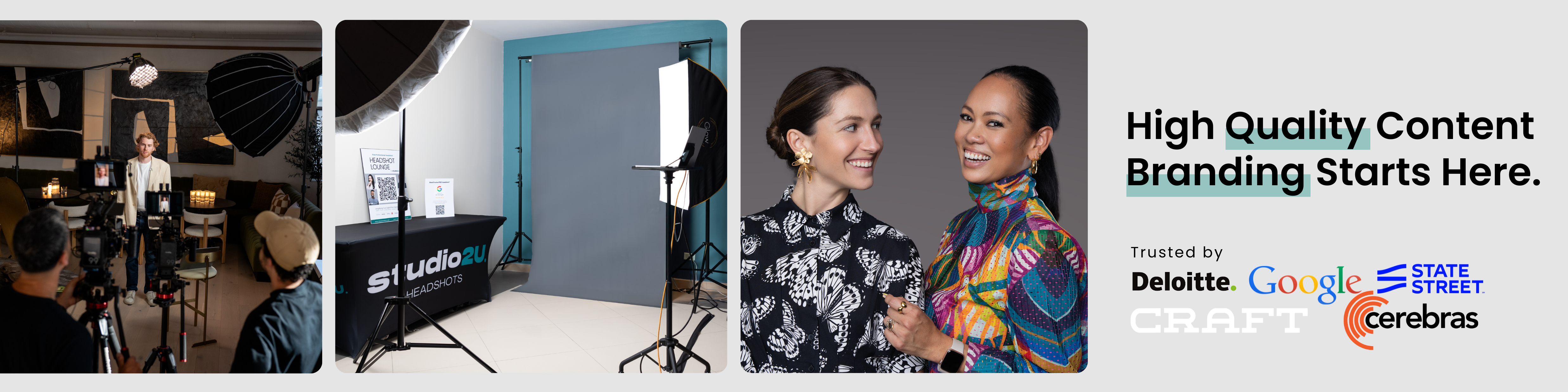
For a side-by-side look at what changes when the studio comes to the office, read our post on on-site headshot benefits, and for large rollouts see company-wide headshots.
Before the shoot day:
On the day:
After:
No. Apple’s Live Photos are a phone feature that pairs a still image with a brief motion clip. Live selection in a headshot session means reviewing and choosing your final still on a screen right after you are photographed.
A short list keeps people decisive. Photographers working high-volume days often show six to eight options per person. Fewer choices mean faster lines and fewer second thoughts.
Yes, and most do. The important part is deciding the rule in advance and applying it to everyone. Some companies let each person choose, others have a brand lead approve. Our post on same-day headshot selection compares the approaches.
The chosen frame is flagged for retouching, edited to a consistent standard, and delivered to the person or the company. With Studio2U, finals come back on a five-day turnaround.
