Staff Photo Diversity: How to Show Your Real Team Honestly


November 2, 2026


The best way to show diversity in staff photos is to photograph the people who actually work for you, in a consistent, well-planned session, and let the library reflect your real workforce. Do not cast, stage or stitch together a look. Readers, candidates and clients spot a manufactured team quickly, and it costs you credibility instead of building it.
This guide covers how to plan the shoot with your employees, how to represent your workforce collectively, which mistakes damage trust, and what to put in writing before anyone is photographed.
Search for this topic and you mostly find stock libraries: hundreds of thousands of smiling, perfectly balanced groups around a conference table. They are built to tick boxes. That is exactly why they feel generic to the people who see them on a careers page or a pitch deck.
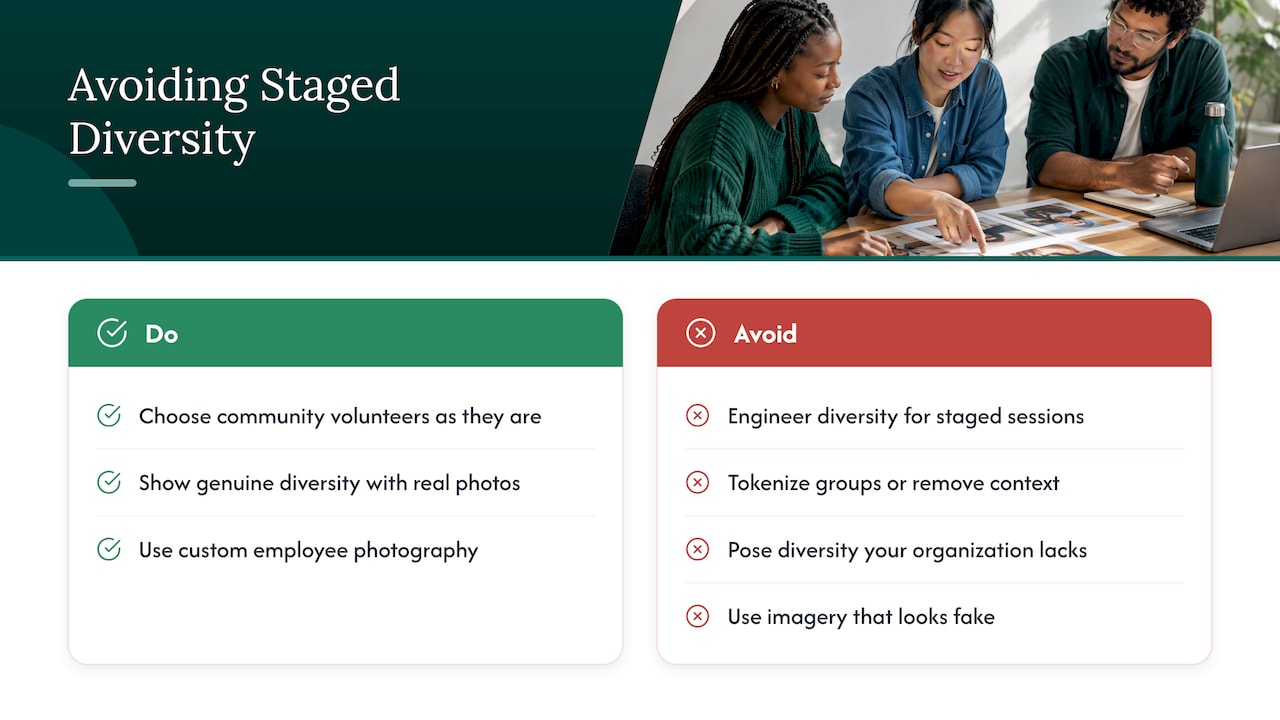
UC Davis’s brand team gives clear guidance on this. It recommends choosing volunteers from your community as they are, rather than engineering diversity for staged sessions, and it warns that tokenizing groups or using people out of context can misrepresent them and damage credibility. Stanford’s identity guidelines go the same way: they advise against posing subjects to suggest diversity that an organization does not actually have, and against imagery that looks fake or departs from reality.
The practical consequence is simple. If your company is genuinely diverse, real photos prove it better than any stock image. If your team is less diverse than you would like, a staged picture will not fix that, and it invites the question of why the photo does not match the room a candidate walks into on interview day.
There is also a business case for using your own people. Branding consultancy BrandingBusiness notes that custom employee photography helps build internal pride and brand champions while moving away from the sameness of stock photography. For a deeper look at the contrast, this piece on why real people outperform stock imagery lays out the argument for company websites.
Authentic does not mean casual or sloppy. It means the picture is true to the person and the workplace. A few principles show up again and again in the brand guidelines of organizations that take this seriously.
Honest over perfect. Indeed’s imagery guidelines recommend honest, inclusive photography and advise against staged scenes, in-studio or white-background images and overly retouched images. Their stated approach allows for real-world nuance, including work that looks hard or challenging rather than sterile.
People over equipment. EllisDon’s people photography guidelines recommend focusing on people, using natural light and deliberate composition, and encouraging relaxed, natural expressions. A person laughing mid-conversation reads as more real than a rehearsed grin.
Active scenes over posed lineups. UC Davis points out that active scenes can reduce the pressure on individuals to stand in for an entire group or topic. Someone at a whiteboard or mid-meeting is simply doing their job. Someone placed front and center because of how they look is being asked to represent something.
Collaboration first. The same guide recommends working with people before photographing them and seeking feedback when you select final visuals. That one habit prevents most of the problems below.

A clean headshot and an environmental portrait do different jobs. Headshots give you consistency across a team page: same framing, same lighting, every person treated equally. Environmental portraits show people in their real workspace, which supports the honest feel Indeed and EllisDon describe. Most companies need both. If you are weighing the styles, our guides to environmental headshots in the office and corporate headshot guidelines cover the decisions in detail.
Diversity in photos is not about hitting a visual quota. It is about making sure the people in your library resemble the people in your company.
BrandingBusiness suggests looking at age, gender, race and how employees are distributed across divisions, business units and seniority levels, so that the resulting image library aligns with those demographics. In practice, that means asking questions before you book:
UC Davis advises representing diversity collectively rather than relying on a single prominent visual, and notes that repeatedly using the same individuals may be viewed as tokenizing. If one employee appears on the homepage, the careers page, the annual report and every social graphic, that person is carrying your whole diversity story. Spread the load. A full-company session gives you enough variety that no one has to.
Stanford recommends periodically auditing image collections by asking what messages they convey and who is not represented. A simple annual audit works like this:
Photos of former employees are a specific risk, which we cover in the consent section below.
UC Davis’s guide is blunt about what to avoid. Here are the mistakes it names, with how to prevent each.
| Mistake | Why it hurts | What to do instead |
|---|---|---|
| Tokenizing underrepresented groups | Reduces people to a symbol and misrepresents them | Spread appearances across many employees; show people doing their jobs |
| Engineering diversity for staged sessions | Looks fake and damages credibility | Invite volunteers from your actual team |
| Collaging isolated images to make a group look diverse | Creates mistrust when the truth is visible | Photograph the real group together, or present individuals honestly |
| Heavily editing skin tones | Misrepresents the subject | Use light, consistent retouching that keeps people recognizable |
| Using people out of context | Implies things about them that are untrue | Caption and place photos accurately |
The retouching point deserves attention. Indeed also cautions against overly retouched images, and your own policy should be written down so every employee gets the same treatment. We explain how to set one in our guide to a headshot retouching policy.
The shoots that go well feel like something done with employees, not to them. Here is a workable sequence.
Tell people what the photos are for: the website, recruiting, sales decks, press, social. Be specific about where images may appear and for how long. Surprise is the enemy of trust.
UC Davis recommends selecting volunteers from your community as they are. Do not hand-pick who is photographed based on how they look, and do not pressure anyone. Some people have good reasons to decline, from safety concerns to personal preference.
Ask about attire, religious dress, accessibility needs, lighting preferences and anything that would help them feel comfortable. Our notes on corporate headshot attire can help you give guidance without being rigid. A flexible standard (for example, wear what you would wear to meet a client) leaves room for individuality.
People relax when they can see themselves and say yes or no to a frame. On-site shoots with live photo viewing make that easy, and it avoids the post-shoot regret that leads to unusable images.
Before publishing, let each person approve their own images. For group scenes, ask a few people from different teams to review the set. UC Davis explicitly recommends seeking feedback when selecting visuals.
Schedule sessions so remote staff, shift workers and part-timers are not left out. Missing a department because the shoot happened during their busiest hour is an easy way to skew your library. If you coordinate a large team, our post on how to manage employee headshots walks through scheduling and tracking, and the guide to company-wide headshots covers multi-location programs.
This is the part many teams skip, and it is where problems turn legal. The Association of Corporate Counsel’s guidance on using employee photos in the USA says written consent is a best practice for employee photos used on websites or social media, and that a specific written release is recommended for commercial use, depending on state law and the scope of use.
The same resource notes that state law matters. Ohio, for example, provides fines for commercial use of a person’s likeness without permission, and it describes employers that discarded printed brochures after they featured a former employee. The takeaway is practical:
This is general information, not legal advice. Your company’s attorney or HR counsel should review the release form, particularly if you operate in several states.
Use your real employees whenever the image claims something about your people: team pages, careers pages, leadership bios, recruiting ads, case studies, investor materials. These are the places where a reader is judging whether you are who you say you are.
Other organizations have started making this a rule. England’s NICE, for instance, recommends real photography of people in health and care settings rather than AI-generated imagery, and it advises against contrived stock imagery. That guidance is specific to UK health and care content, but the reasoning carries over: an image that implies real people should show real people.
Stock still has a place for abstract topics, such as an illustration of a concept in a blog post. The line is simple. If the viewer would reasonably assume the person shown works with you, they should.
Employer branding sits close to this. If you are building the case internally for investing in original imagery, this overview of executive and employer branding in enterprises is a useful companion to the photography itself.
We shoot on-site, in your office, with a portable studio. That matters for diversity because the photos are made where your team actually works, with the people who actually work there.
The mistake we see most often is a company that treats the shoot as a casting call. They pick a handful of people for the website and wonder why the result feels thin. Our approach is the opposite: every project starts with a strategic discovery call, so we understand who needs to appear, where the images will be used and what the photos have to accomplish before anyone steps in front of a camera.
We design every project around real people and real experiences, not staged photography. For a company-wide session that means a consistent look for every person, whether they sit in the C-suite or on the support team, and a library you can use across your website, recruiting, sales presentations and investor communications.
Our on-site sessions include live photo viewing, so employees see their frames and have a say, and retouching with a five-day turnaround. Consistency across locations is the point: when a team in Austin and a team in Boston are photographed the same way, your brand reads as one company.
Kevin
If you want a library that reflects your actual workforce, we bring the studio to you. Our START UP package is $2,500 per shoot and suits teams that just closed a round and need photos fast; details are on our in-office headshots page. For larger or multi-location programs, the STANDARD package starts at $2,000 per shoot and ENTERPRISE starts at $3,500 per shoot, with a BRANDING ADD-ON at $1,000 per shoot for additional branding photography. All are listed on our branding page.
Event organizers can find conference and summit options on our conferences page. To see how photography fits into a broader content plan, read about the best photo and video for your website, or start at studio2uheadshots.com.
Use this list to keep the session honest and the library useful.
No. Brand guidelines from universities and employers consistently advise against posing or engineering diversity for staged sessions, because it looks fake and can damage credibility. Photograph your real team instead. If you want the picture to change, work on who you hire and promote, then photograph the people who join.
As many as are willing and as many as your plan requires. Aim for a library that matches your real mix of teams, offices and seniority levels, rather than a small set of repeat faces. A full-company session makes that far easier than photographing a few people for a single page.
In the US, written consent is considered a best practice for employee photos on websites and social media, and a specific written release is recommended for commercial use. Requirements depend on your state and how the images are used, so have your attorney or HR counsel review your release form.
Decide this before the shoot and put it in the release. Note how long images may stay in use and what happens at separation. Then remove former employees from live pages on a regular schedule, and include this step in your annual image audit.
Light, consistent retouching is fine. Heavy editing, especially of skin tones, can misrepresent people and erode trust. Set a written standard that applies to everyone and let each person approve their own images.
