One-Day On-site Headshots: Templates & Proofs for Corporate Organizers
%20(1)%201.png)
.png)
.png)
August 5, 2026
%20(1).jpg)

A short, outcome-focused product demo video is the single highest-ROI first video most tech startups can make. Put a 60–90 second hero demo on your landing page, open with the customer outcome, and close with one CTA (demo booking, free trial, or signup). That one asset will do more for your conversion rate than almost anything else in your marketing stack.
Adobe’s product video guidance confirms that viewers are significantly more likely to convert after watching a product video. For a SaaS company or hardware startup trying to explain something complex to a skeptical buyer, that lift is the difference between a page that leaks traffic and one that books demos. studio2U works with tech startups to produce exactly this kind of asset, on-site, with fast turnaround built for launch cycles.

Video reduces cognitive friction. A buyer reading a feature list has to imagine the product working. A buyer watching a 75-second demo sees the outcome before they’ve asked a single question; that gap in mental effort is why video converts.
Viewers are significantly more likely to purchase after watching a product video, according to Adobe’s product video research — a finding that holds across SaaS, hardware, and B2B tools alike.
The business outcomes compound across the funnel:
The mechanism is trust. Storytelling and customer-focused narratives build trust more effectively than feature-only demos because they show the people and outcomes behind the tool, not just the settings panel.
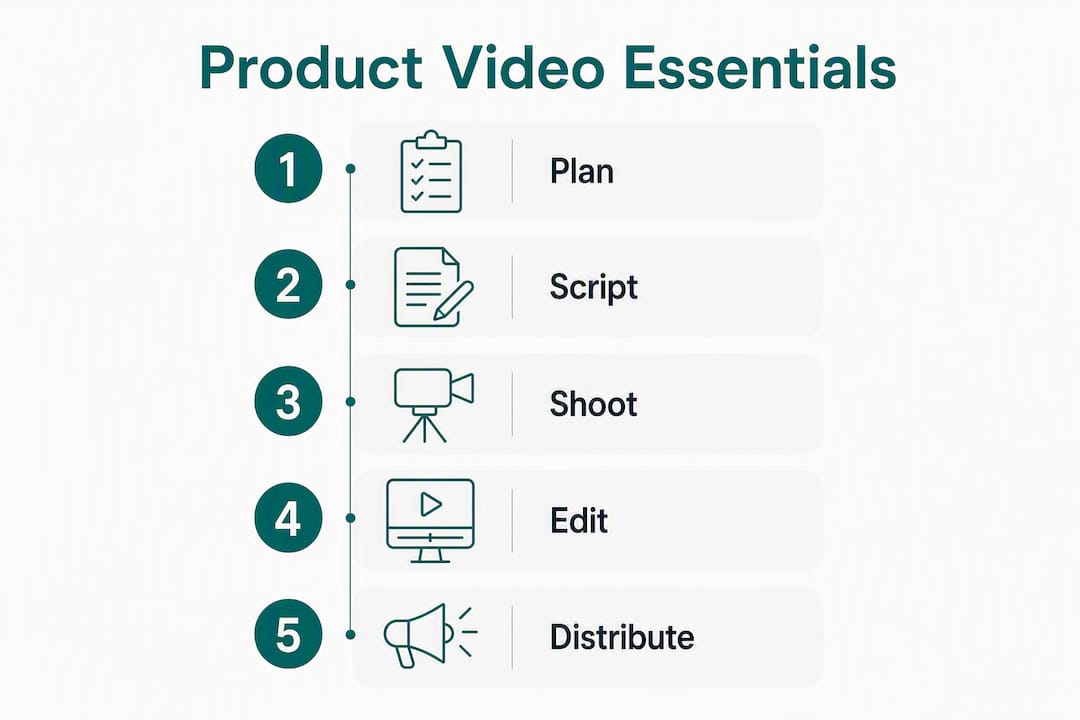
Not every video serves the same purpose. Commissioning the wrong format for the wrong funnel stage wastes budget and confuses buyers.
| Format | Best for | Typical runtime | Production complexity | Primary channels |
|---|---|---|---|---|
| Landing-page hero demo | Awareness, top-of-funnel conversion | 60–90 seconds | Medium (agency or mid-tier) | Homepage, paid ads, email |
| Animated explainer | Awareness, complex concept simplification | 60–120 seconds | Medium (motion design) | Social, YouTube, investor decks |
| Screencast / UI walkthrough | Evaluation, feature education | 90–180 seconds | Low (DIY or light agency) | Docs, sales outreach, onboarding |
| Customer testimonial | Evaluation, social proof | 60–90 seconds | Medium (on-camera, on-site) | Website, sales decks, LinkedIn |
| Onboarding video | Activation, retention | 60–120 seconds per step | Low to medium | In-app, email sequences |
| Feature announcement | Evaluation, existing customers | 30–60 seconds | Low (screencast + narration) | Email, social, changelog |
| Personalized sales video | Sales enablement, outbound | 30–60 seconds | Low (DIY, async tools) | Email, LinkedIn DMs |
A few format-specific notes worth knowing:
Structure matters more than production budget for most startup demos. A $50,000 video that opens with the company logo and a feature list will underperform a $5,000 video that opens with the customer outcome.
The five components, in order:
Showing outcomes before capabilities is the reframe that separates high-converting demos from feature tours. Technical buyers are skeptical of claims. They trust evidence. Show the payoff first, then the capability that produces it.
Pro Tip: When demoing a live UI, design the walkthrough around the top 10 questions your sales team hears on every first call. A demo that answers those questions autonomously means prospects arrive to live calls already convinced of the basics, which accelerates the sales cycle measurably.

The script is where most startup videos fail. Founders write the way they think about their product, not the way buyers experience their problem. The fix is simple: keep language simple, avoid jargon, and structure every script as Hook → Problem → Solution/Benefit → CTA.
Core script rules:
Short script template (hero demo, 60–90 seconds):
Hook (5 sec): “Your sales team is losing deals because buyers don’t understand the product before the call.”
Problem (10 sec): “Most demos happen too late. By the time a rep explains the basics, the prospect has already moved on.”
Solution/walkthrough (40 sec): “With [Product], buyers self-qualify in three clicks. Here’s how it works: [screen 1 → screen 2 → screen 3].”
Payoff (10 sec): “Teams using [Product] book more qualified demos in the first month, improving sales effectiveness.”
CTA (5 sec): “See it live. Book a demo at [URL].”
Three CTA examples by startup goal:
Pro Tip: Record yourself reading the script aloud before production. If you stumble on a word, the viewer will too. Scripts that feel natural spoken are the ones that hold attention through the CTA.
Planning is where budget gets saved or wasted. A shoot day without a locked script and approved shotlist costs twice as much in post-production.
Budget and timeline estimates:
| Tier | Typical budget | Hero demo timeline | Short-clip series | Onboarding library |
|---|---|---|---|---|
| DIY (founder + screen recording) | — | 1–3 days | 3–5 days | 1–2 weeks |
| Mid-tier agency or freelancer | — | 1–2 weeks | 2–3 weeks | 3–5 weeks |
| Premium studio (on-site, multi-format) | — | 2–3 weeks | 3–4 weeks | 6–10 weeks |
Timelines assume one round of revisions. Every additional stakeholder review cycle adds 3–5 business days.
One well-structured 60–90 second demo can produce 6–12 repurposed assets across channels without a second shoot day. The key is planning for repurposing before production, not after.
From a single hero demo, you can extract multiple shorter assets suitable for various channels such as paid social, vertical video platforms, LinkedIn, email headers, blog embeds, investor decks, sales outreach, and onboarding emails.
Channel format presets:
| Channel | Aspect ratio | Recommended runtime | Notes |
|---|---|---|---|
| Product page / homepage | 16:9 | 60–90 seconds | Autoplay muted with captions |
| LinkedIn feed | 1:1 or 4:5 | 30–60 seconds | Captions critical (most watch muted) |
| Instagram Reels / TikTok | 9:16 | 60–90 seconds | Hook in first 2 seconds |
| YouTube pre-roll | 16:9 | 60–90 seconds (skippable) | CTA before skip point |
| Email campaign | 16:9 thumbnail + link | N/A (link to hosted video) | Use animated GIF as preview |
| Sales outreach | 16:9 | 30–60 seconds | Personalized intro preferred |
Webflow users can embed the 16:9 hero demo directly on a product page with a custom thumbnail. Airtable works well as a content calendar to track which cuts are live on which channels. Slack is useful for sharing draft cuts with reviewers without email chains. Dropbox handles large file delivery to editors and clients cleanly.
Most startup videos fail for the same handful of reasons. Here’s what to watch for:
Four formats, four transferable techniques:
| Example type | Why it works | What to copy |
|---|---|---|
| SaaS hero demo (e.g., Webflow’s product page video) | Opens with the end result (a finished website), then shows how fast you get there | Start with the payoff, then reverse-engineer the steps |
| UI walkthrough (e.g., Airtable’s feature demos) | Shows an end-to-end workflow in under 90 seconds using a real use case | Pick one realistic scenario and follow it start to finish |
| Customer testimonial (on-camera, outcome-specific) | The customer names a specific metric or before/after result | Brief your customer with one outcome question, not a script |
| Product launch film (live-action + narration) | Combines founder credibility with product proof in one narrative arc | Open with the founder’s “why,” close with the customer’s “what changed” |
“Storytelling humanizes technical products — showing the people and outcomes behind a tool increases trust and conversion more than any feature list can.” — Atlassian / Loom product video research
The pattern across every high-performing example is the same: problem statement first, outcome second, capability third. Buyers don’t care how the product works until they believe it solves their problem.
Track metrics at the funnel stage where the video lives, not just total views.
Per-channel metrics to monitor:
Simple A/B test design:
Run a control (no video or existing page) against a video-led variant for a minimum of two weeks, or until each variant has at least 200 unique visitors. Measure conversion rate as the primary metric. Use UTM parameters on every video CTA link so you can attribute demo bookings back to the video in your CRM, whether that’s HubSpot, Salesforce, or a lighter tool.
For attribution beyond UTMs, add a microsurvey to your demo booking form: “How did you hear about us?” Prospects who watched the video often self-report it. Tag those responses in your CRM to build a video-sourced pipeline view.
Pro Tip: Event tagging in Google Analytics 4 or Segment lets you fire a custom event when a visitor reaches 75% video completion. Segment that cohort and compare their demo-booking rate against visitors who didn’t reach that threshold. The delta is your video’s conversion contribution.
The answer depends on the funnel stage and the stakes, not the budget alone.
DIY makes sense for:
Hire a specialist for:
Vendor checklist before you sign:
Interview questions to ask any agency or freelancer:
studio2U’s process starts before a camera is turned on. Every project opens with a strategic discovery session focused on the buyer problem, the customer outcome, and the single message the video needs to land. That’s not a formality. It’s the reason the final video converts instead of just looking good.
The end-to-end workflow:
Pro Tip: Plan your video shoot to coincide with a fundraising announcement, product launch, or major hire. The content you capture in one day can fuel your website, investor deck, social channels, and sales outreach for the next six months.
studio2U serves high-growth tech startups, VC-backed companies, accelerator cohorts, and enterprise teams across the United States. If your product page isn’t converting, your sales team is explaining the product from scratch on every call, or your launch is coming up and you don’t have a hero video, that’s the problem studio2U is built to solve.
A 60–90 second outcome-first hero demo placed on your landing page is the single highest-ROI first video most tech startups can produce.
| Point | Details |
|---|---|
| Start with the hero demo | A 60–90 second outcome-first landing-page video is the highest-ROI first video for most tech startups. |
| Script under 150 words | Keep scripts to 120–150 words for a 60–90 second video; use spoken language and one clear CTA. |
| Repurpose aggressively | One well-structured hero demo can produce 6–12 assets across social, ads, email, and sales outreach. |
| Track demo-booking lift | Measure demo requests per visit before and after adding video; use UTM tags and CRM attribution. |
| studio2U for high-stakes shoots | For investor-facing films, launch packages, and on-camera testimonials, studio2U delivers on-site production with five-day turnaround options. |
The conventional wisdom says “make a video when you’re ready.” Ready usually means polished product, finalized branding, and a full marketing team. By that standard, early-stage startups often lack video assets when entering their first investor meeting or product launch.
The smarter frame is this: a video doesn’t need to be perfect to work. It needs to be honest, specific, and outcome-first. A founder on camera in their actual office, explaining the real problem they solve in plain language, will outperform a slick animated explainer that says nothing specific. Buyers and investors are pattern-matching for credibility, not production value.
The second thing founders underestimate is repurposing. Most teams treat a video as a one-time deliverable. The teams that get the most out of their production budget plan the shoot around 8–12 outputs from day one. That means deciding on aspect ratios, cut lengths, and channel destinations before the camera rolls, not after the editor delivers the master file.
The last thing worth saying: don’t let perfect be the enemy of published. A hero demo on your homepage today, even an imperfect one, will teach you more about what converts than six months of planning. Ship it, measure it, and improve it.
Most startups don’t have a video problem. They have a timing problem. The launch is live, the sales team is in the field, and the hero demo still doesn’t exist. studio2U is built for exactly that situation.

studio2U brings a portable professional studio to your office and produces your hero demo, social cuts, testimonial videos, and investor-ready assets in a single shoot day. The five-day turnaround option means your video is live while your launch momentum is still high. No rented studios, no stock footage, no generic output. Every video is built around your specific buyer outcome and your actual product.
If you’re a founder, marketer, or GTM lead who needs a product video that converts, get started with studio2U and book your production session today.
The sources below back the claims in this article and are worth reading directly if you’re planning a product video production.
| Source | What it covers |
|---|---|
| How to Create Simple and Effective Product Videos — Adobe | Script structure, CTA best practices, and conversion data for product videos |
| How to Create Compelling Product Videos + 9 Examples — Atlassian/Loom | Storytelling frameworks, customer narrative techniques, and real SaaS examples |
| Make Product Demo Videos with AI — Eliro | Self-serve demo design, modular script/screen separation, and sales cycle acceleration |
| How to Make Product Videos with AI — Picassoia | AI production tiers, prompt specificity, and matching polish to funnel stage |
| Free AI Product Demo Video Maker — Fliki | Screen recording + AI voiceover for rapid hero demo iteration |
| How to Make a Product Video with AI — Epochal | Text-to-video, image-to-video, and product-photo-driven AI video categories |
| studio2U — On-Site Corporate Video and Photography | studio2U’s full service offering: on-site production, rapid turnaround, multi-channel deliverables |
For a landing-page hero demo, 60–90 seconds is the target. Onboarding walkthroughs and feature explainers can run 90–180 seconds when the workflow genuinely requires it.
DIY screen-recording setups can be very low cost. Mid-tier agencies or freelancers may charge moderate amounts for a hero demo, while premium on-site production with multi-channel deliverables typically costs considerably more depending on scope.
Yes. Most social video is watched muted, so captions are required for the message to land. Captions also support ADA web accessibility compliance for video content on your website.
DIY works for personalized outbound videos and feature announcements. Hire a specialist like studio2U for investor-facing launch films, on-camera customer testimonials, and multi-channel launch packages where production quality directly affects credibility.
Get signed video releases from every on-camera person before the shoot, including employees. License any background music. If your video includes third-party software UI, confirm you have permission to record and publish it. Collect releases before production, not after.
