One-Day On-site Headshots: Templates & Proofs for Corporate Organizers
%20(1)%201.png)
.png)
.png)
September 29, 2026
%20(1).jpg)

For company-wide and multi-location shoots, on-site headshots typically deliver faster turnaround, tighter visual consistency, and higher employee participation than individually scheduled studio sessions. Some providers build their entire model around this, bringing portable studios directly to offices, events, and conferences. On-site works best for teams of a dozen or more, multi-office rollouts, and conference or summit programs where speed and uniformity matter more than individual styling.
TL;DR:
- On-site headshot sessions are most effective for large teams, multi-location rollouts, and quick deadlines due to faster turnaround and consistent styling.
- Standardized workflows and clear communication increase participation, ensure visual uniformity, and streamline asset delivery across multiple channels.
- Proper scheduling, a style standard, and a dedicated point of contact prevent delays, improve quality, and reduce follow-up work post-shoot.
- Budgeting benefits are higher for larger teams, multi-office shoots, and when including additional services like branding or environmental photography.
- Prioritizing vendor reliability on consistency and turnaround, and running a pilot session beforehand, help optimize results and ROI.
Before you commit a budget line to headshots, it helps to see the practical payoff in one place. These are the benefits corporate and HR organizers report most often when they move from individually scheduled studio visits to a single on-site day.
Each of these advantages comes down to a mechanism, not just a preference. Understanding how they actually work helps you plan a shoot that delivers on the promise rather than just moving the same problems on-site.
Efficiency comes from throughput, not just proximity. A well-run on-site session typically photographs a set number of employees per hour once the photographer and subject flow are dialed in, and the actual figure depends heavily on setup and headcount. Same-day selection workflows let each employee pick their favorite frame before leaving the chair, which eliminates the back-and-forth email chains that stretch a traditional studio rollout across weeks. Because the studio travels to the office, no one loses half a day to a commute and a waiting room.
Consistency comes from standardization, not talent alone. The same camera height, lighting ratio, and background color for every subject is what makes a leadership grid or an employee directory look like one company rather than twelve. Many organizers set separate style rules for executive portraits versus general staff shots, keeping backgrounds and crops close enough that the sets still read as one family. A written corporate headshot guidelines document, covering crop ratios, retouching limits, and background choice, keeps that standard intact even when the shoot spans multiple days or locations.
Participation rises when friction falls. Employees are more likely to show up when the shoot happens in a hallway they already walk past than when it requires blocking out an afternoon and finding a studio across town. Sending calendar invites by department, posting signage the morning of the shoot, and giving a manager a short list of who has not yet come down all help push completion rates higher than an opt-in email ever will.
Brand value compounds across every channel that uses the photo. A LinkedIn grid where every employee’s headshot shares the same background and light reads as more credible to a prospective client scrolling through a company page. The same consistency shows up on the “About” page, in press kits, and in recruiting decks, where a unified look signals that the organization pays attention to detail even in small things.
Scalability depends on the workflow traveling with the team, not the room. A portable studio setup means the same lighting rig, backdrop, and camera settings can be reproduced in a Boston office on Monday and a Bay Area office on Thursday, so a company with several locations ends up with one visual identity instead of five. Conference and summit deployments work the same way: the studio sets up once and processes a rotating stream of attendees or speakers without the look drifting between morning and afternoon sessions.
Pro Tip: Run a 30-minute pilot block with one department before the full-day shoot starts. Use it to confirm your actual heads-per-hour pace, then schedule the rest of the day around that real number instead of a guess.
Both formats can produce a professional headshot. The decision usually comes down to how many people need photographing and how much control you need over the final look.
Choose on-site when the goal is team-wide consistency, a tight deadline, or a multi-location rollout that needs to look identical everywhere. Choose a studio visit when you need a single executive portrait with a highly customized, editorial treatment that justifies the extra time and per-person cost.
A smooth headshot day depends more on scheduling and communication than on the equipment. This is the sequence experienced organizers follow.
Pro Tip: Assign one point person to answer “where do I go” questions on the day. Most delays in a headshot schedule come from confused wayfinding, not from the photography itself.
Detailed scheduling and logistics templates, including sample calendar invite language and department-block timing, are laid out in Studio2U’s guide to organizing employee headshots.
Budget conversations go smoother when you can show the finance team exactly what drives the price and what the company gets back for it.
A simple way to frame ROI for stakeholders: say a 50-person team currently books individual studio sessions that take each employee half a day away from work, including travel. Consolidating that into one on-site day removes the travel time entirely and compresses the shoot into a single business day for the whole group, freeing up the equivalent of dozens of employee-hours that would otherwise be spent commuting to and from a studio.
Same-day selection and fast editing turnaround mean these workflows can put finished, employee-approved headshots into a marketing team’s hands within days of the shoot rather than weeks, which matters most when a launch, a press announcement, or a recruiting campaign is waiting on the assets.
Some companies operate by bringing portable studios and production teams directly into client offices, events, and multiple office locations rather than asking employees to travel to a fixed studio. The same lighting rig, backdrop, and camera setup travel with the team, which is how a company with offices in several cities ends up with a consistent look across every location rather than a patchwork of styles.
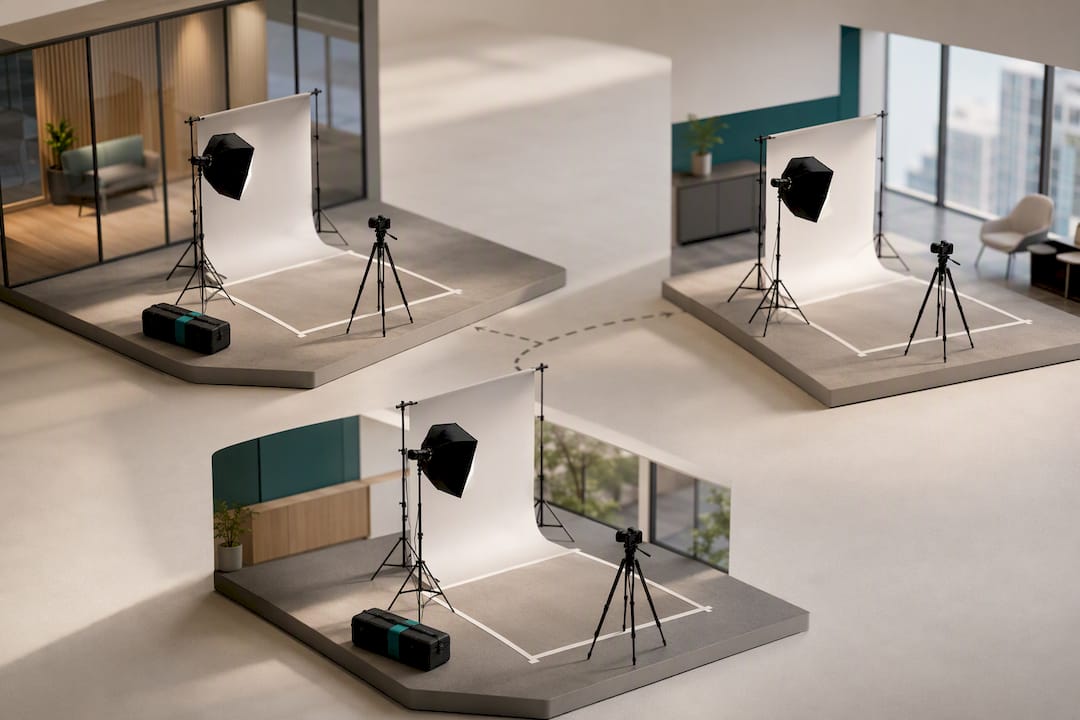
That portability also supports conference and summit headshot programs, where attendees or speakers move through a single setup over the course of an event instead of booking separate appointments. Studio2U pairs this with fast post-production, treating quick turnaround as part of the deliverable so that companies can put new photos to work while a launch, hiring push, or event is still fresh. Package details for these scenarios, including options built for startups and enterprise-scale teams, outline what each format includes.
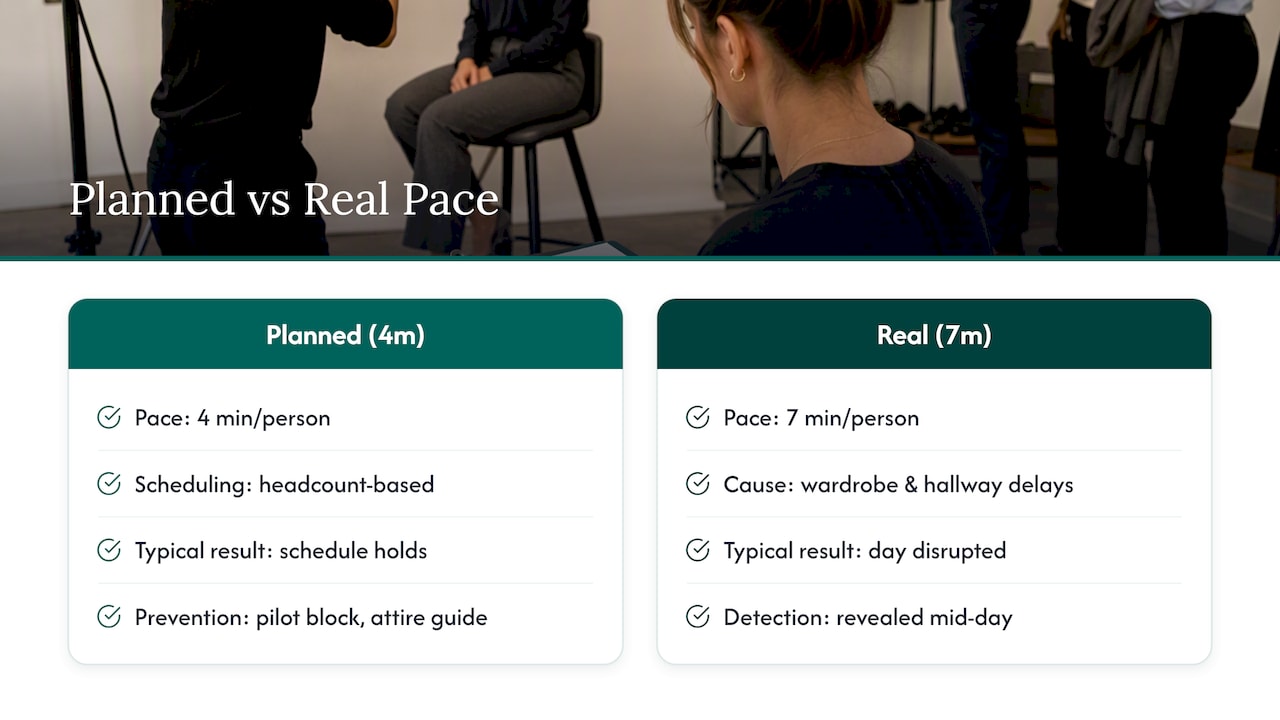
The most common mistake organizers make is scheduling by headcount alone instead of testing the actual pace first. A department that takes four minutes per person on paper might take seven once wardrobe changes and hallway chatter enter the picture, and finding that out mid-afternoon wrecks the rest of the day.
The second mistake is skipping a written style standard. Without one, you end up with some employees photographed against a slightly different crop or a slightly different light than others, and it shows the moment the photos sit side by side on a website.
The third is treating distribution as an afterthought. A shoot that produces great photos but no clear file-naming or usage plan just moves the bottleneck from the camera to someone’s inbox a week later.
Two quick wins: run a short pilot block before opening the full schedule, and post a one-page attire guide before the shoot rather than during it. When picking a vendor, prioritize one that treats consistency and turnaround as core to the service, not an upsell.
— Kevin
If your team needs this done without building the workflow yourself, Studio2U’s packages map fairly directly onto the situations covered above. The START UP package fits smaller teams or a pilot day at $2,500 one-off per shoot. For larger or multi-office rollouts, the STANDARD and ENTERPRISE tiers start from $2,000 and $3,500 one-off per shoot respectively, with a $1,000 branding add-on available for teams that want environmental or culture photography alongside headshots. Conference and event programs run through separate Networking, Summit, and Conference packages priced at $2,500, $4,500, and $8,000 one-off per shoot.

Every project starts with a discovery call to confirm headcount, location, and style goals before scheduling. Book a shoot to get a quote and a delivery timeline for your team.
A few resources are worth bookmarking alongside this guide. Studio2U’s post on organizing employee headshots covers scheduling templates and calendar invite language in more detail, while the corporate headshot guidelines post lays out cropping and retouching standards you can hand to any photographer. The same-day selection guide explains the proofing workflow referenced above.
For the broader case on why consistent employee photography matters to a company’s credibility, a partner piece on content that builds trust for service businesses makes the marketing case in more depth.
Yes, for anyone who appears on a company website, LinkedIn, or in press materials, since a professional headshot reads as more credible than a casual phone photo. The bigger question for organizers is whether to run it on-site or through individual studio bookings, and team size usually decides that.
There is no single published benchmark for what counts as a good completion rate, since it depends heavily on company size, culture, and how the shoot is scheduled. What consistently drives higher participation is removing friction, on-site sessions with department-based scheduling and clear reminders tend to outperform opt-in studio bookings.
Busy patterns, very bright or neon colors, and pure white or pure black can all cause problems with lighting and background separation. Solid, mid-tone colors that contrast with the background are generally the safer choice, and many organizers include this guidance in the attire note sent before the shoot.
Definitions vary depending on the source, and it is not a standardized rule used consistently across corporate headshot photography. Organizers are better served by agreeing on a specific crop, lighting, and retouching standard in writing rather than relying on a general ratio rule.
