Product Overview Video: What to Include and How to Make One


November 16, 2026


A product overview video is a short film that tells a viewer what your product is, who it is for and why it matters, before anyone books a call. The ones that work put real people on screen: the founder, the team and a customer describing a problem that got solved. We produce on-site photo and video for corporate teams, and we plan every project around that principle, starting with a discovery call about the business outcome the video has to serve.
An overview is the wide shot of your product. It covers what the product is, its purpose and its defining features. Acquia’s glossary draws the line clearly: an overview is an overarching look, a demo is an inner look at what the product does in action, and an explainer or tutorial shows how to use it, either as a whole or in small pieces.
That distinction decides your script. If you try to cram every feature into the overview, it becomes a product manual on screen, and viewers leave. If you skip the overview and publish only a demo, a first-time visitor has no context for what they are watching.
| Video type | Question it answers | Typical viewer | Where it lives |
|---|---|---|---|
| Overview | What is this, and is it for me? | New visitor, investor, recruit | Homepage, product page, pitch email |
| Demo | What does it actually do? | Active prospect | Product page, sales follow-up |
| Tutorial | How do I use it? | Existing customer | Help center, onboarding |
| Case study | Did it work for someone like me? | Buyer near a decision | Sales deck, proposal, LinkedIn |
For most B2B companies the overview comes first because it does the job a good first sales conversation does: it sets context in under two minutes.
The companies that get the most from an overview video tend to be at a moment when many audiences suddenly look at them at once:
If you are in the first group, our piece on product launch videos for startups covers the announcement side in more depth.
Strip away the format and a good overview answers five questions in order.
Wistia’s video team makes a point worth keeping on a sticky note: an overview should never feel like a product manual on screen and should always connect a feature to a customer pain point or use case, so viewers see why it matters to their own work. Feature lists inform. Outcomes persuade.
Software and services are abstract. Viewers decide whether to trust the company behind them long before they understand the architecture. That is why we build overviews around real people: a founder explaining why the company exists, team members at work, a customer describing the before and after. It is the same logic behind building trust online: visitors look for evidence that real, credible humans stand behind a brand, and video delivers that evidence faster than copy.
If the overview includes a customer voice, the format is close to a case study. Our notes on the video case study format and on B2B testimonial videos show how to structure those moments so they stay credible rather than scripted.
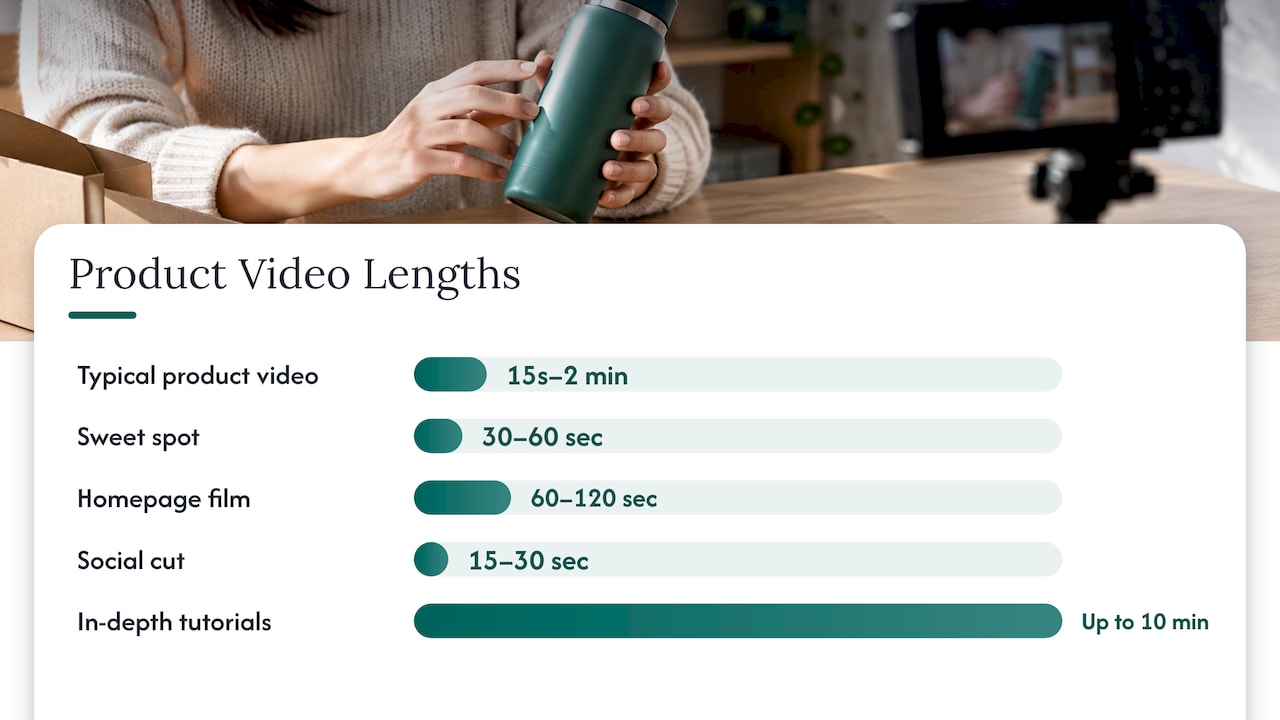
Shorter than you think. Shopify reports that a typical product video runs from 15 seconds to two minutes, with in-depth overviews and tutorials stretching to ten minutes, and it names roughly 30 to 60 seconds as the sweet spot for most product videos.
For a B2B overview we plan around three lengths from one shoot:
The longer film is not wasted. A buyer may watch the overview on LinkedIn, forward it to a manager and have a procurement team replay it before signing. Each viewer needs the same clarity, so write for the least-informed person in that chain.
Pick a single outcome: book a call, support a fundraising announcement, introduce a newly acquired portfolio company, or explain a product to a new hire. Two goals produce a muddled script. This is the step where most DIY projects drift, and it is why every project of ours starts with a strategic discovery call: we want the business outcome settled before anyone picks up a camera.
Before a script, write a paragraph: who the viewer is, what problem they have, what changes with your product, and what you want them to do. If the paragraph is vague, the video will be too.
The best on-camera voices are the ones who can explain the problem without jargon. Often that is the founder or a product lead, plus one customer. Brief them on the story and not a verbatim script. People who speak in their own words look more trustworthy on camera than people reciting lines.
If the voiceover says your team ships fast, show the team working. Product overviews need visuals that back the words: people at desks, whiteboard sessions, the product in use, the office environment. Our post on environmental headshots and office photography explains how the same space can be styled to feel like your brand.
This is where an on-location approach changes the economics. We bring portable studios and production teams to your office, event or portfolio company, so there is minimal disruption to the workday and no travel for your people. For a company with several offices, the same setup repeated in each location keeps lighting, framing and tone consistent across all of them.
The overview video will sit next to team pages, press kits, investor decks and recruiting posts. Shooting team headshots and branding photography in the same visit means the stills match the film. Our headshot sessions include live photo viewing, so people see and choose their images on the day. You can read how that works in our posts on live photo viewing and live photo selection. Retouching and a five-day turnaround follow.
Put the strongest line or image first. Cut anything that repeats. Add captions, because many viewers watch on mute, and write a short description with a transcript for accessibility and search.
Place the main film at the top of the relevant page, link the cut-downs from LinkedIn and email, and drop a still from the shoot into every sales deck. Atlassian’s guidance similarly recommends sharing product videos on landing pages, product pages, social media and newsletters.
The same format flexes depending on who you are.
Open with the problem and the team, then mention the round as proof of momentum rather than the headline. A founder-to-camera announcement works as the opening or closing of the overview. Capture the whole team in headshots the same day, because press and investor sites will ask for them within hours of an announcement.
Shoot each portfolio company against a shared visual standard (framing, lighting, tone), but let each leadership team speak for its own business. The result reads as a family of companies, not a patchwork. With a portable studio on location, the same crew can cover several sites.
Treat each founder as a short overview of both their company and your judgment in backing it. Keep each episode in the same format so the series feels like a library. Our client story video notes cover how to keep that kind of conversation natural.
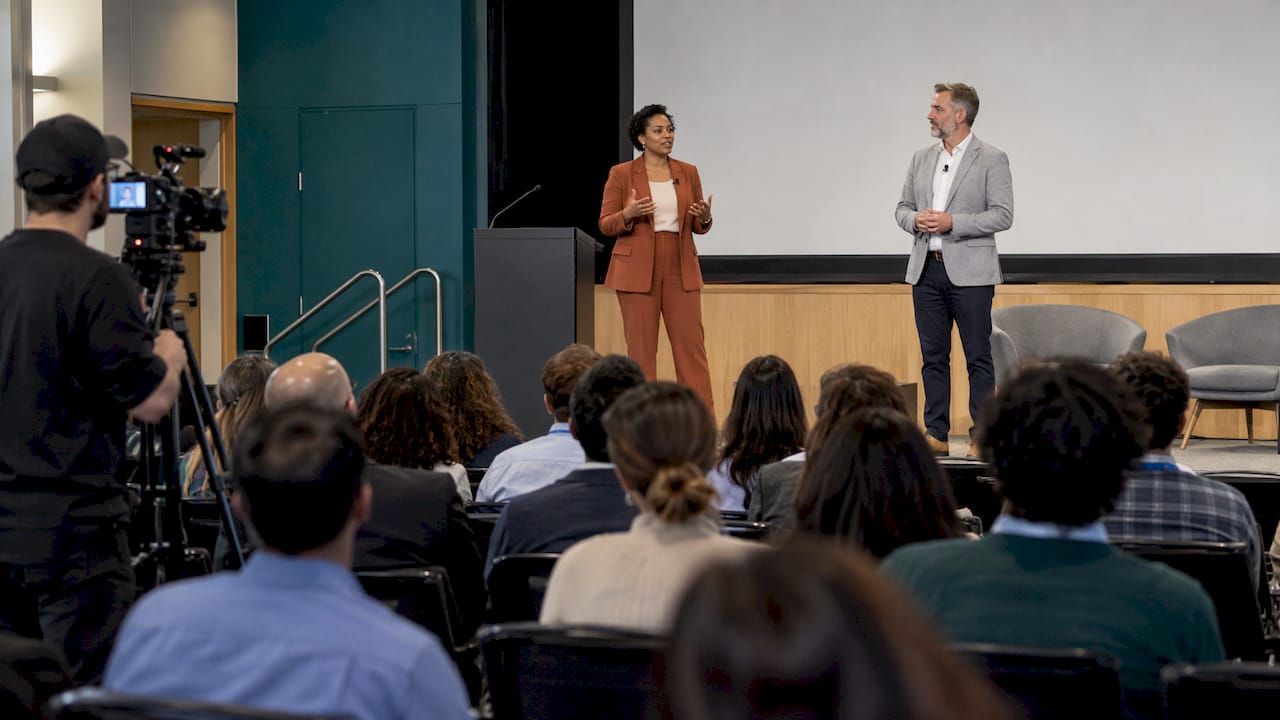
An overview of a conference is a highlight reel: the speakers, the room, the energy, the attendees. Shooting speaker portraits and event content together gives sponsors proof of value. See our posts on conference video and conference speaker headshots.
Video pricing varies widely by approach. Navattic reports that producing a product demo video averages $1,000 to $3,000 per finished minute, including filming, editing and rendering, with higher figures for top narrators or animation. That benchmark is a useful reminder that the cost sits in the production and the editing, so it is worth planning the whole asset set around one shoot day rather than commissioning pieces separately.
Our published pricing is per shoot, by package:
| Package | Published price | Page |
|---|---|---|
| Start Up | $2,500 per shoot | Start Up |
| Standard | from $2,000 per shoot | Branding |
| Enterprise | from $3,500 per shoot | Branding |
| Branding add-on | $1,000 per shoot | Branding |
| Networking | $2,500 per shoot | Conferences |
| Summit | $4,500 per shoot | Conferences |
| Conference | $8,000 per shoot | Conferences |
Prices are as listed on our site and can change, so confirm the current details on the package page.
If you want an overview video, team headshots and branding photography captured in one visit, we bring the portable studio to you. Every project starts with a discovery call, and the output is built to be used across your website, sales presentations, investor communications, recruiting and campaigns.
See the Branding packages for company-wide photo and video, the Conferences packages for events, or our Services page for the full range.
Most companies treat visual content as something to do after the product, the funding round and the hiring plan are done. We think that is backwards. Before a prospect talks to your sales team, they have already formed an opinion from your website, your LinkedIn page and whatever video they happened to watch.
That is why we do not hand over a pile of files. We start with a discovery call to understand what the video must achieve, then design the shoot around real people, real experiences and real customer outcomes. Staged and generic content is easy to make and easy to forget.
An overview video is the best place to start because it is the asset everything else leans on. The same shoot gives you the film, the cut-downs and the headshots, all matching, all usable across channels for a long time. Doing it on site, with a portable studio, means your team loses minutes instead of days.
If you are fresh off a raise or an acquisition, this is the moment the whole market is looking at you. Give them something worth watching.
Kevin
An overview introduces what the product is, who it is for and why it matters. A demo goes inside the product to show it working. Most companies publish the overview first for new visitors and add demos for prospects who are further along.
For a homepage or product page, plan on roughly 60 to 120 seconds, and cut 15 to 30 second versions for social. Shopify puts the sweet spot for product video at around 30 to 60 seconds, so keep the script tight.
Footage of the product helps, but people carry the trust. A founder, team members and a customer give viewers a reason to believe your claims. For services and B2B products, people on screen usually do more than any feature graphic.
Yes. We shoot team headshots, branding photography and video during the same on-site visit, so the stills and the film match. Headshots include live photo viewing, retouching and a five-day turnaround.
