One-Day On-site Headshots: Templates & Proofs for Corporate Organizers
%20(1)%201.png)
.png)
.png)
August 6, 2026
%20(1).jpg)

Conference video is a year-round content engine, not a one-time recording. The single most important action you can take right now: build a content map and shot list before the event starts, with repurposing baked in from day one.
Here is what that means in practice:
Recording conference sessions serves three core business purposes: it lets in-person attendees stay present instead of furiously taking notes, it gives access to people who could not attend, and it creates a reusable content library that keeps working for marketing, sponsorship, and recruiting long after the event ends.
Those three reasons are not abstract. A 60-second clip from a keynote can run as a LinkedIn ad during a fundraising round. A founder interview filmed in a conference hallway becomes the centerpiece of a Demo Day deck. A sponsor activation captured on camera turns into the proof point that closes next year’s sponsorship deal.
Top production teams consistently find that organizers who plan recording and repurposing in advance see far greater post-event value from their footage than those who treat recording as an afterthought.
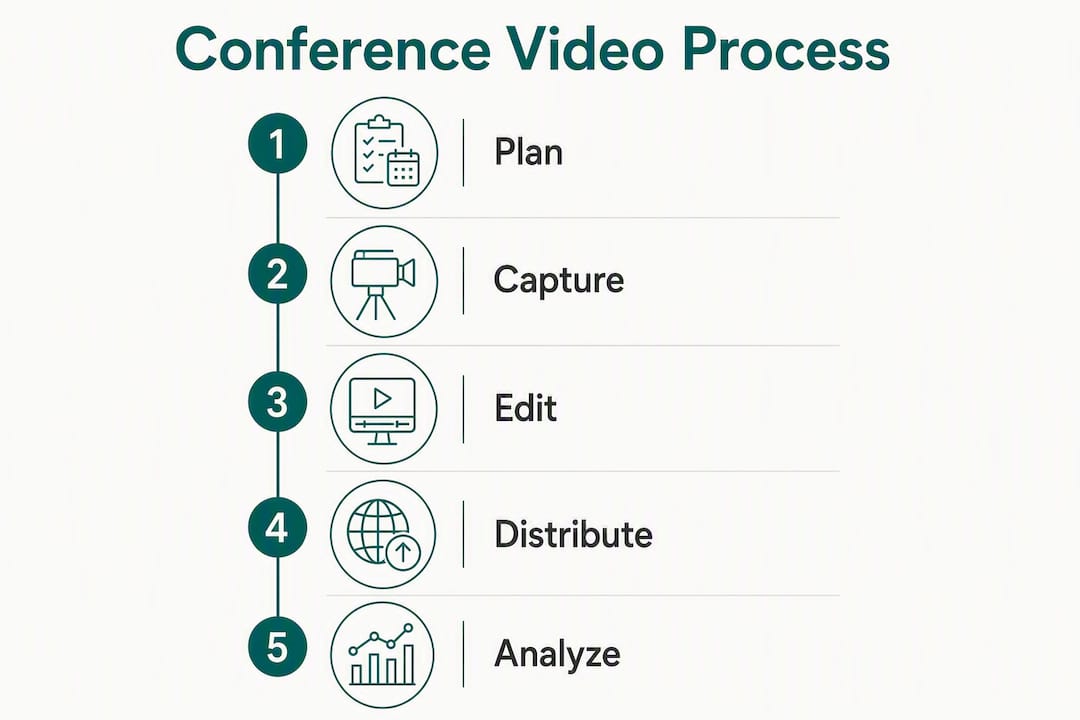
The gap between events that generate a content library and events that generate a single recap video almost always comes down to one thing: whether anyone built a content map before doors opened.
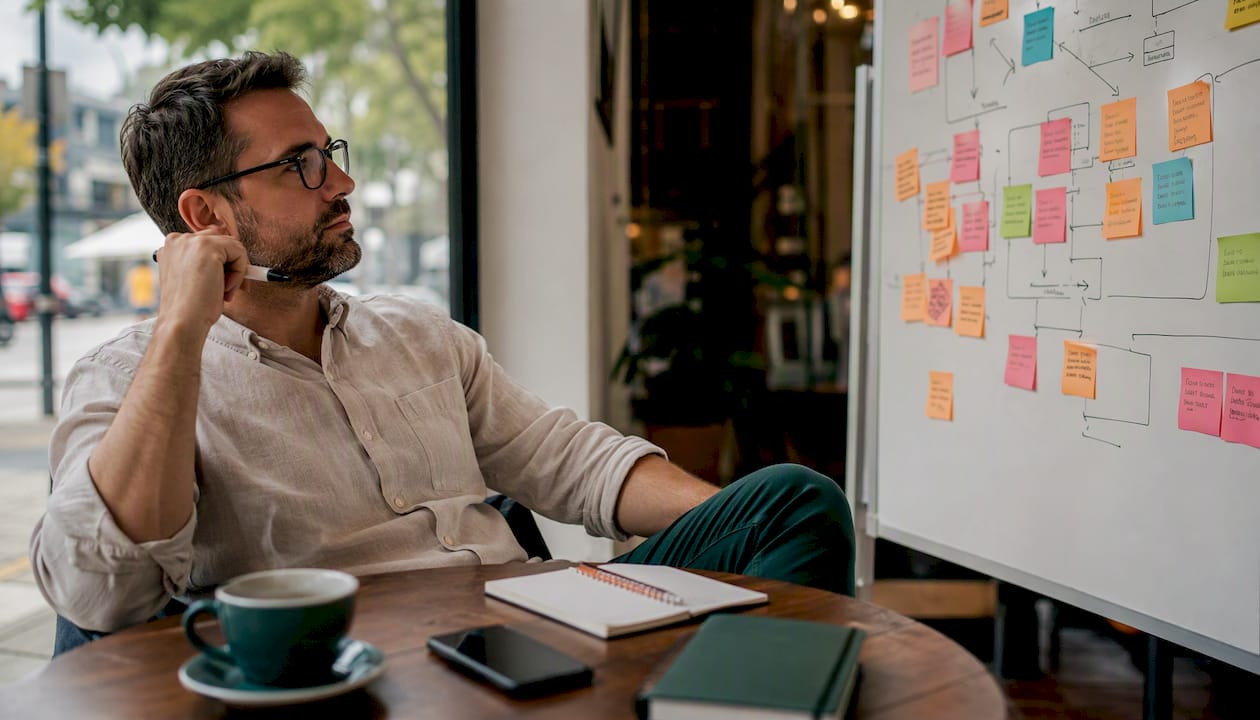
Before you write a single shot on a list, answer this: who needs what, and by when? A typical conference serves at least four stakeholders with different needs.
| Stakeholder | Primary content need | Urgency |
|---|---|---|
| Marketing team | Social clips, highlight reel | 24–48 hours post-event |
| Sponsors | Branded session cuts, impression data | Within 5 business days |
| Recruiting / HR | Culture footage, team interviews | Within 2 weeks |
| VC / accelerator | Founder interviews, portfolio spotlights | Within 48 hours for fundraising momentum |
Once you know who needs what, map every asset type to an objective. A content map does not need to be elaborate. A spreadsheet with five columns works: asset name, format, target channel, responsible crew member, and delivery deadline.
Core asset types to include:
Institutional guidance recommends proactive consent and secure storage for recorded sessions. Practically, that means three things: notify speakers in writing before the event that sessions will be recorded, collect signed speaker release forms that specify how footage will be used, and post visible signage at entrances so attendees know recording is in progress.
For rights ownership, the contract with your production vendor should state clearly that the event organizer owns the master files. Sponsors typically receive a license to use their branded cuts, not ownership of raw footage. File naming matters too: use a consistent convention (EventName_SessionTitle_Date_Version) so assets are findable six months later when a sponsor asks for a clip.
Pro Tip: Lock turnaround SLAs into your vendor contract or volunteer assignments before the event. A first social clip within 24 hours is achievable only if the editor knows it is expected — not assumed.
The formats below are not a wish list. Each one maps to a specific marketing use, and skipping any of them means leaving a distribution channel empty.
Pro Tip: During every session, flag 2–3 moments in real time: a quotable line, a visual reaction, or a clear CTA from the speaker. Mark the timecode in your notes. Those flags cut post-production time in half.
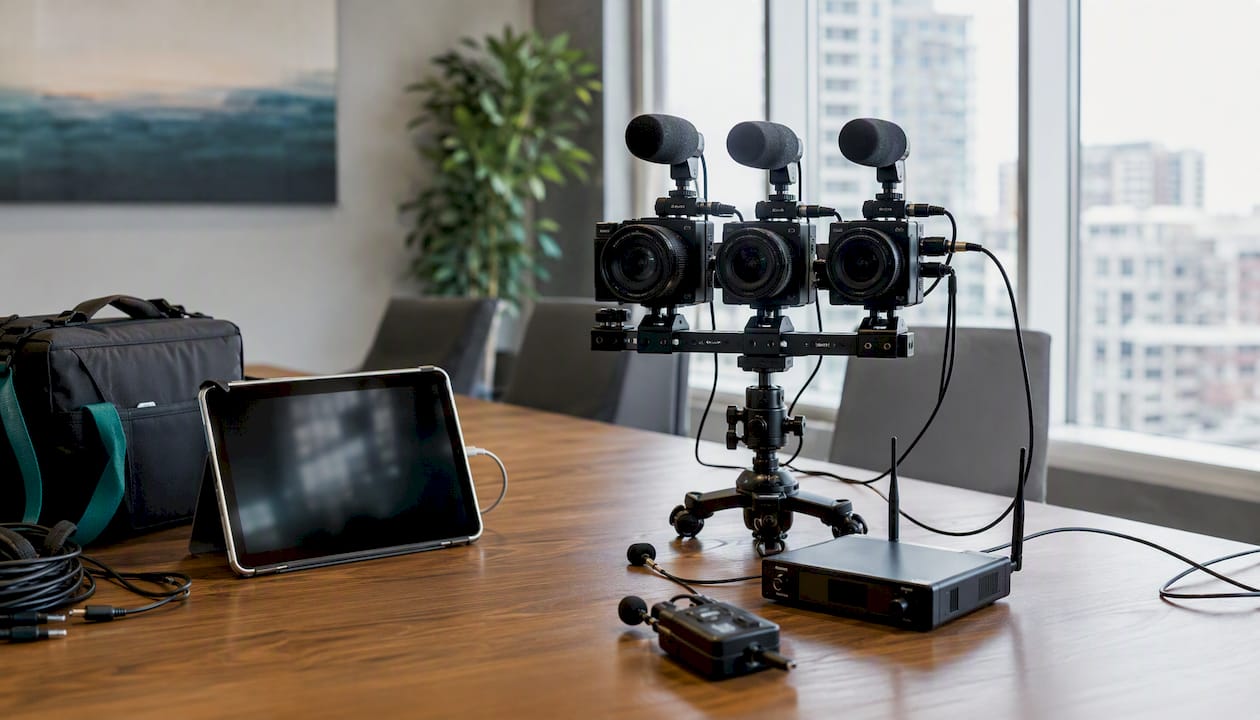
The right capture approach depends on your budget, crew size, and what you plan to do with the footage. Here is a practical comparison of the most common options.
| Approach | Best for | Trade-offs |
|---|---|---|
| Single-camera on-site | Small events, tight budgets, one-room coverage | Limited angles; no live switching |
| Multi-camera switched live | Keynotes, panels, sponsor streams | Higher cost; requires a director and switcher operator |
| Autonomous recording boxes (e.g., FITEBOX) | Multi-room community conferences with limited crew | No live direction; composite slide + speaker output |
| Platform recording (Zoom, Teams) | Remote presenters, hybrid sessions | Compressed quality; dependent on participant connection |
| Dedicated remote-guest feeds | Hybrid events with remote panelists | Requires encoding setup and latency management |
For livestreaming, the standard protocol is RTMP or RTMPS to your chosen platform. Modern conference livestreams increasingly include interactive features like live Q&A, virtual breakout rooms, and dedicated virtual hosts, which meaningfully improve engagement for remote attendees compared to a passive stream.
Production automation tools, including automated lower-thirds, overlays, and switching macros, let a smaller crew produce a professional-looking broadcast. A two-person team with the right software can handle what used to require four operators.
The minimum viable kit and the recommended pro kit are further apart than most organizers expect. Here is a tiered breakdown.
| Item | Minimum (DIY) | Recommended (Pro) |
|---|---|---|
| Camera | 1x mirrorless or DSLR | 2–4x broadcast or cinema cameras |
| Microphone | 1x lavalier or handheld | Lavalier per speaker + shotgun + room mic |
| Audio interface / mixer | Basic USB interface | Dedicated audio mixer with multi-channel recording |
| Recorder | Camera internal | Dedicated field recorder (e.g., Zoom H6) as backup |
| Tripod / support | Standard photo tripod | Fluid-head tripods + optional slider |
| Capture card / switcher | None (single camera) | Hardware switcher (e.g., ATEM Mini) or software switcher |
| Storage | 1x SD card | Dual SD + external SSD per camera, plus a RAID backup drive |
| Encoder | Platform software | Dedicated hardware encoder for RTMP streaming |
Pro Tip: Audio is the one thing you cannot fix in post if you miss it. Run at least one clean feed per speaker through a mixer, and record a backup track on a separate device. A bad picture is forgivable; a bad audio track kills the clip.
Post-production for events is not the same as post-production for a narrative film. Speed matters more than perfection on the first deliverables. Here is a workflow that supports both fast social publishing and polished long-form delivery.
For long-form sessions posted to YouTube, add timestamps and chapter markers in the description. A 45-minute keynote with six chapters gets significantly more watch time than an unmarked file, because viewers can jump to the section they care about.
Distribution without a plan is how good footage disappears. Map each asset type to a channel before the event ends.
| Asset | Primary channel | Recommended spec | Key metric |
|---|---|---|---|
| 15–30s social clip | Instagram Reels, TikTok, LinkedIn | 9:16 vertical, 1080p | Views, shares, saves |
| 60–90s highlight reel | LinkedIn, YouTube, event site | 16:9, 1080p | Watch time, click-through |
| Full session recording | YouTube (public or unlisted), event site | 16:9, 1080p–4K | Watch time, on-demand registrations |
| Founder / speaker interview | LinkedIn, YouTube, email newsletter | 16:9, 1080p | Profile visits, connection requests |
| Sponsor-branded cut | Sponsor’s own channels + event site | Per sponsor spec | Impressions, custom URL clicks |
| Behind-the-scenes | Instagram Stories, LinkedIn | 9:16 or 1:1 | Engagement rate |
For sponsor reporting, build a simple template: total session views, clip downloads, custom-URL click data, and logo impressions across all published assets. Sponsors who see a clear ROI report renew. Those who receive a single recap video often do not.
Best practice on metadata: write a 150–200 word YouTube description for every session upload. Include the speaker name, topic, event name, and two or three natural keyword phrases. Thumbnails with a speaker’s face and a text overlay consistently outperform title-card-only thumbnails on click-through rate.
Budget ranges for US-based event video production vary widely based on crew size, camera count, and deliverable complexity. The figures below are illustrative market ranges, not fixed prices.
Pro Tip: The most expensive mistake in event video is hiring a crew without agreeing on deliverables in writing. Specify the number of clips, formats, and delivery dates in the contract. Ambiguity always costs more than clarity.
The process studio2U uses for event coverage is worth walking through because it shows how the strategy described above translates into actual deliverables.
studio2U’s contracts specify that the event organizer owns all master files. Speakers receive a license to share their session recordings. Sponsors receive their branded cuts under a defined usage license. All files are delivered via a secure shared folder with role-based access, consistent with best practices for consent and secure storage.
The result is not one recap video. It is a content library that feeds social media, email marketing, sponsor reports, future ticket sales, recruiting campaigns, and fundraising materials for months.
studio2U operates nationwide, bringing production teams directly to the event location. For VC firms and accelerators, a single production day can cover portfolio company interviews, cohort spotlights, and Demo Day footage alongside the main event coverage.
A conference video program generates lasting marketing value only when repurposing is planned before the event, not after.
| Point | Details |
|---|---|
| Plan before you press record | Build a content map and shot list tied to stakeholder objectives before the event starts. |
| Capture multiple formats | Keynotes, founder interviews, testimonials, and b-roll each serve different channels and audiences. |
| Deliver social clips within 24–48 hours | Fast turnaround captures audience attention while the event is still in the conversation. |
| Secure rights and releases in advance | Collect speaker releases and post audience notices before filming begins to avoid distribution problems later. |
| studio2U as a production partner | studio2U provides nationwide on-site production, rapid social deliverables, and a full content library for events of any size. |
The conventional wisdom says: hire a videographer, record the sessions, post a recap. That advice produces a single asset with a two-week shelf life.
The teams that get the most out of their event footage treat the conference as a production shoot, not a documentation exercise. That means a director of content on-site, not just a camera operator. It means flagging quotable moments in real time, not hunting for them in 40 hours of raw footage. It means the editor receives a marked-up shot list, not a hard drive and a prayer.
One thing that gets consistently underestimated: the hallway interview. The most valuable clips from a conference are rarely the keynote highlights. They are the 90-second conversations filmed between sessions, when a founder is still energized from a panel and says something they would never say on a prepared stage. Those moments are the ones that drive inbound for months. They require almost no production setup. They just require someone to ask the question.
The other gap most teams miss is contingency planning. A backup recorder on every feed, a redundant audio track, and a wired ethernet connection for the encoder are not nice extras. They are the difference between a recoverable production day and an unrecoverable one. Plan for the failure before it happens.
studio2U is the production partner for event teams that need more than a recap video. The concrete difference: you get a full content library, delivered fast, built around your specific marketing and sponsorship goals, not a generic event package.

A typical one-room engagement includes on-site videography, 3–5 founder or speaker interviews, a 60–90 second highlight reel, 10–20 short social clips in both vertical and horizontal formats, sponsor-branded cuts, and a photography gallery, with first social deliverables within 24–48 hours of filming. studio2U operates nationwide, so whether your event is in New York, Austin, or San Francisco, a production team comes to you.
For VC firms and accelerators, studio2U can cover Demo Days, portfolio company interviews, and cohort spotlights in the same production day as your main event, giving every stakeholder the assets they need without booking multiple vendors.
Get a quote for your next event and see what a full content engine looks like for your specific program.
A short list of tools, platforms, and references that support the strategy in this guide:
Conference video refers to the recorded or live-streamed footage captured at a conference, including keynote sessions, panels, interviews, and b-roll. When planned strategically, it functions as a year-round content library for marketing, sponsorship, and recruiting.
No. A conference call is audio-only communication between multiple participants. Conference video adds a visual component, whether that is a live-streamed event, a recorded session, or a video conferencing platform like Zoom used for hybrid presentations.
Capture footage with at least one dedicated camera and a clean audio feed per speaker, record a backup track on a separate device, and export final files as H.264 or H.265, 1080p minimum, with .vtt caption files for accessibility. Deliver social clips within 24–48 hours and full session recordings within up to two weeks.
A well-executed conference video program delivers a 60–90 second highlight reel, 10–20 short social clips in both vertical and horizontal formats, full session recordings, and sponsor-branded cuts from a single event. studio2U’s event coverage model follows this structure, with first deliverables within 24–48 hours of filming.
A webinar is a live or recorded online presentation, typically with one or two presenters and a remote audience. Conference video covers a live, in-person event with multiple sessions, speakers, and formats, often including both a livestream component and on-site capture for post-production repurposing.
