One-Day On-site Headshots: Templates & Proofs for Corporate Organizers
%20(1)%201.png)
.png)
.png)
August 3, 2026
%20(1).jpg)

Pick an AI-native conversational editor for fast interview-to-clip work; choose an AI-augmented NLE when you need studio-grade finishing and data control. Side-by-side testing confirms there is no single best tool — the right pick depends entirely on your workflow.
Quick shortlist by corporate workflow:
Time-savings signal: Eddie AI reports roughly 10+ hours saved per project on logging and rough-cut assembly alone.
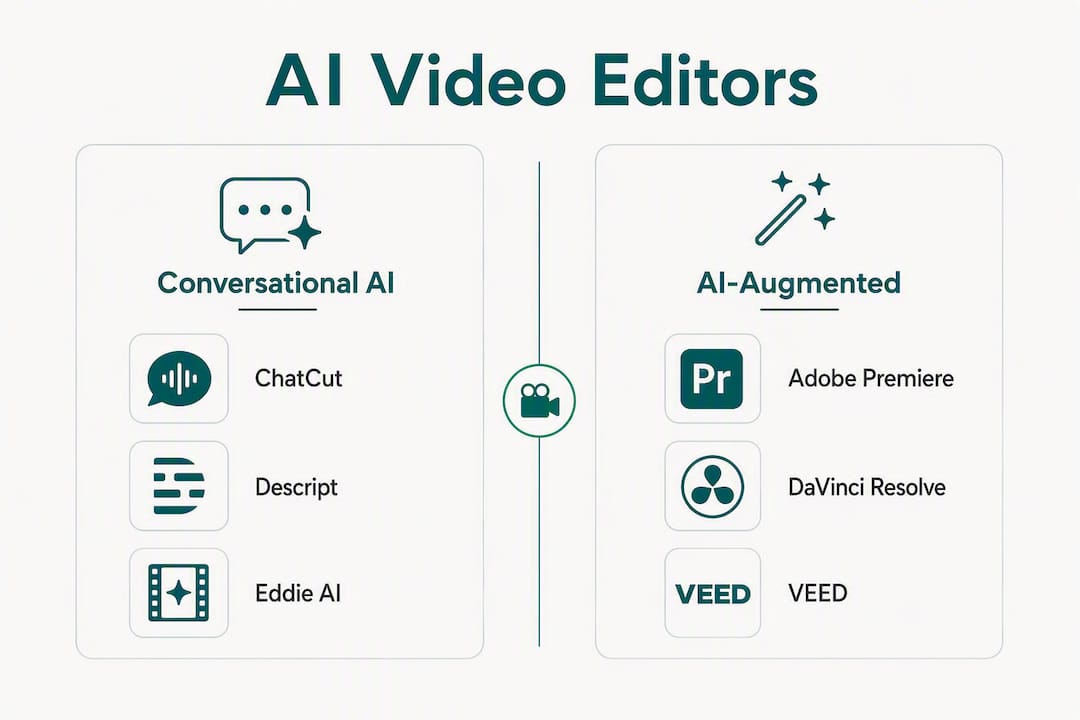
By 2026, the market had split into two camps: conversational AI-native platforms built for speed, and AI-augmented professional NLEs built for precision. Knowing which camp your workflow belongs to is the only decision that matters before you evaluate any tool.
| Tool | Best for | Workflow fit | Platform | AI features | Collaboration & security | Export & finishing | Pricing | Learning curve |
|---|---|---|---|---|---|---|---|---|
| ChatCut | Long-form interview repurposing | Conversational AI-native | Web | Transcription, auto-assembly, soundbite selection | Cloud; asset ownership terms vary | MP4 export; NLE handoff manual | Subscription | Low |
| Descript | Podcast/talking-head text editing | Conversational AI-native | Desktop + Web | Transcript editing, filler-word removal, audio cleanup | Team seats available; cloud storage | XML export to Premiere | Subscription | Low–Medium |
| Adobe Premiere Pro | Complex multi-cam, enterprise finishing | AI-augmented NLE | Desktop | Auto-reframe, speech-to-text, color matching (Sensei) | Enterprise licenses, Creative Cloud admin | Native XML/AAF, full NLE | Subscription (Creative Cloud) | High |
| DaVinci Resolve | Color-heavy finishing, high-fidelity output | AI-augmented NLE | Desktop | AI masking, Smart Reframe, noise reduction (Studio) | Local file control; Studio one-time purchase option | Native XML/AAF, full NLE | Free / Studio one-time | Medium–High |
| Eddie AI | Assembly automation for pro teams | AI assistant (NLE companion) | Web + Desktop integration | Transcription, logging, rough-cut assembly | Integrates with Premiere/Resolve; team workflows | Hands off to Premiere/Resolve | Subscription | Low |
| VEED | Distributed social teams, multi-language | Cloud team / social-first | Web | Subtitles, translation, brand templates | Team seats, brand kit, cloud collaboration | MP4/social formats; limited NLE export | Free / Subscription | Low |
| CapCut | Mobile-first short-form social | Mobile-first social | Mobile + Web | Trending effects, auto-captions, AI cut | Limited enterprise controls; privacy concerns flagged | MP4; no NLE export | Free / Subscription | Very Low |
| Runway | AI-generated asset creation | Generative AI + light editing | Web | Text-to-video generation, inpainting, motion brush | Cloud; enterprise tier available | MP4; limited NLE compatibility | Subscription | Medium |
| Synthesia | Training, internal comms, avatar video | Text-to-avatar platform | Web | AI avatars, text-to-speech, script-driven output | Enterprise controls, SSO available | MP4; no NLE timeline export | Subscription / Enterprise | Very Low |
ChatCut handles the hardest part of interview-heavy production: turning two hours of raw footage into a usable assembly without a human logging every clip. The conversational interface means a marketing coordinator can run the rough-cut pass, freeing senior editors for brand-level decisions.
Descript sits in a similar conversational category, but its strength is audio. For teams producing executive podcasts or talking-head series, the filler-word removal and overdub tools alone justify the subscription. The XML export to Premiere keeps finishing in familiar territory.
Adobe Premiere Pro remains the enterprise default for a reason. Adobe Sensei bundles auto-reframe, speech-to-text, and color matching directly into the NLE teams already know, which means no new tool adoption for complex deliverables. The Creative Cloud admin console gives IT teams the access controls they need.

DaVinci Resolve is the finishing suite for color-critical work. The Studio edition’s AI masking and Smart Reframe are genuinely useful, and the one-time Studio license is attractive for teams that want desktop-grade control without a recurring subscription. Local file handling means no cloud asset exposure.
Eddie AI is not a standalone editor. It is an assembly accelerator. Production teams report roughly 10+ hours saved per project on logging and rough-cut work, and the output drops cleanly into Premiere or Resolve. For organizations running high-volume interview or event content, it pays for itself fast.
VEED is the right call for distributed marketing teams that need brand-consistent social output without IT involvement. Multi-language subtitle and translation features are genuinely strong, and the brand kit keeps visual consistency across contributors.
CapCut is fast and free, but 2026 analyst commentary flags real privacy and enterprise security concerns for corporate use. Mobile-first apps with unclear data ownership policies are a procurement risk for brand-sensitive assets. Teams with strict data policies should evaluate open-source, self-hosted alternatives like OpenCut on GitHub that keep media entirely local.
Runway serves a specific need: teams producing AI-generated video assets who want generation and light editing in one place. It is not a replacement for a professional NLE and does not export to XML/AAF.
Synthesia removes the on-camera requirement entirely. For internal training, compliance videos, or standardized explainers at scale, the text-to-avatar workflow is fast and consistent. Enterprise controls including SSO make it a credible option for larger organizations.
Pro Tip: Most production teams run two tools, not one. Use an AI-native assembler (ChatCut, Descript, or Eddie AI) for the logging and rough-cut pass, then finish in Premiere or Resolve for brand-level precision and clean export. This two-tool workflow is where the real time savings accumulate without sacrificing output quality.
The clearest decision in 2026 is not which tool is best overall — it is whether your workflow needs conversational speed or NLE precision, and whether your data policies permit cloud-based asset handling.
| Point | Details |
|---|---|
| Match tool to workflow type | Conversational editors (ChatCut, Descript) suit interview repurposing; NLEs (Premiere, Resolve) suit complex finishing. |
| Assembly automation saves real time | Eddie AI reports roughly 10+ hours saved per project on logging and rough-cut work before NLE finishing. |
| Cloud tools carry data-ownership risk | Mobile-first and browser-based tools vary widely on asset ownership; verify enterprise controls before procurement. |
| Two-tool pipelines outperform one | Pairing an AI assembler with a professional NLE delivers speed and precision without compromising either. |
| studio2U as managed alternative | For high-stakes brand films and executive content, studio2U provides on-location production with enterprise-grade asset workflows. |
The tools above are genuinely good at what they do. But the question of whether your team should operate them is separate from whether they can.
High-volume social repurposing is a reasonable in-house workflow. If your team is producing 20 short-form clips a week from existing footage, VEED or an Eddie AI plus Premiere pipeline makes sense. The volume justifies the tool cost, and the output is standardized enough that brand risk stays low.
Executive messaging is a different calculation. A CEO keynote, an investor announcement video, or a brand film that will run in paid media for 18 months — these are not projects where you want to discover a tool’s limitations mid-production. The controlled environment, the lighting, the audio quality, and the brand consistency all require decisions that happen before the camera turns on. AI editors are post-production tools. They cannot fix a poorly captured interview or a background that undermines brand perception.
The hybrid model that works well in practice: studio2U captures the on-location assets with portable professional studios, then hands off organized, high-quality footage to the client’s internal team or NLE workflow. The client’s editors or an AI assistant like Eddie AI handles assembly. studio2U handles the production layer that AI tools cannot touch.
For organizations running conferences, multi-office headshot programs, or executive portrait series, the on-site portable studio model removes the logistical complexity entirely. The footage arrives ready to edit, not ready to rescue.
The tools in this comparison handle post-production. studio2U handles what comes before it — and that is where brand-sensitive corporate video either succeeds or fails.

For marketing teams that need premium on-location video production without building a full internal studio, studio2U brings portable professional studios directly to your office, conference, or event. Fast post-production turnaround means assets are ready to deploy while momentum is highest, not weeks later.
How to pilot a studio2U engagement:
Book a pilot shoot and see what a single production day produces for your brand.
These are the primary sources behind the testing data, vendor claims, and security analysis in this article.
