Photo Day Checklist: Prep Your Team and Office
%20(1)%201.png)
.png)
.png)
August 26, 2026
%20(1).jpg)

Choose a warm mid-tone neutral canvas or light grey seamless as your default office backdrop. It reads as professional across every use case, holds up in thumbnails, and works for nearly every skin tone and outfit you’ll photograph against it in a single day.
That’s the workhorse. But it’s not the only backdrop you need in your kit.
TL;DR:
- Using a neutral mid-tone canvas or light grey seamless backdrop ensures versatility and timelessness across various platforms and skin tones.
- For large or multi-office shoots, standardized lighting, tethered review, and repeatable setups are more crucial for consistency than the specific backdrop style.
- Canvas backdrops are optimal for on-site shoots because they resist wrinkling and set up faster than paper or muslin, saving time during office sessions.
- Proper lighting, including a dedicated background light, prevents the floating-head effect and adds depth, especially when subjects are placed 4 to 6 feet from the backdrop.
- Planning deliverables and aspect ratios before the shoot reduces rework, with a focus on matching background style to the final use, such as website hero, LinkedIn, or press photos.
Four backdrop types cover almost everything a corporate shoot needs: neutral studio, environmental, branded, and gradient or painted canvas. Each one solves a different problem, and picking the wrong one is the most common reason companies end up with mismatched photo libraries—checking out Headshot Photographer - Headshot Photography Services | Life in Style Photography offers portfolio and backdrop examples that can inspire your selection.
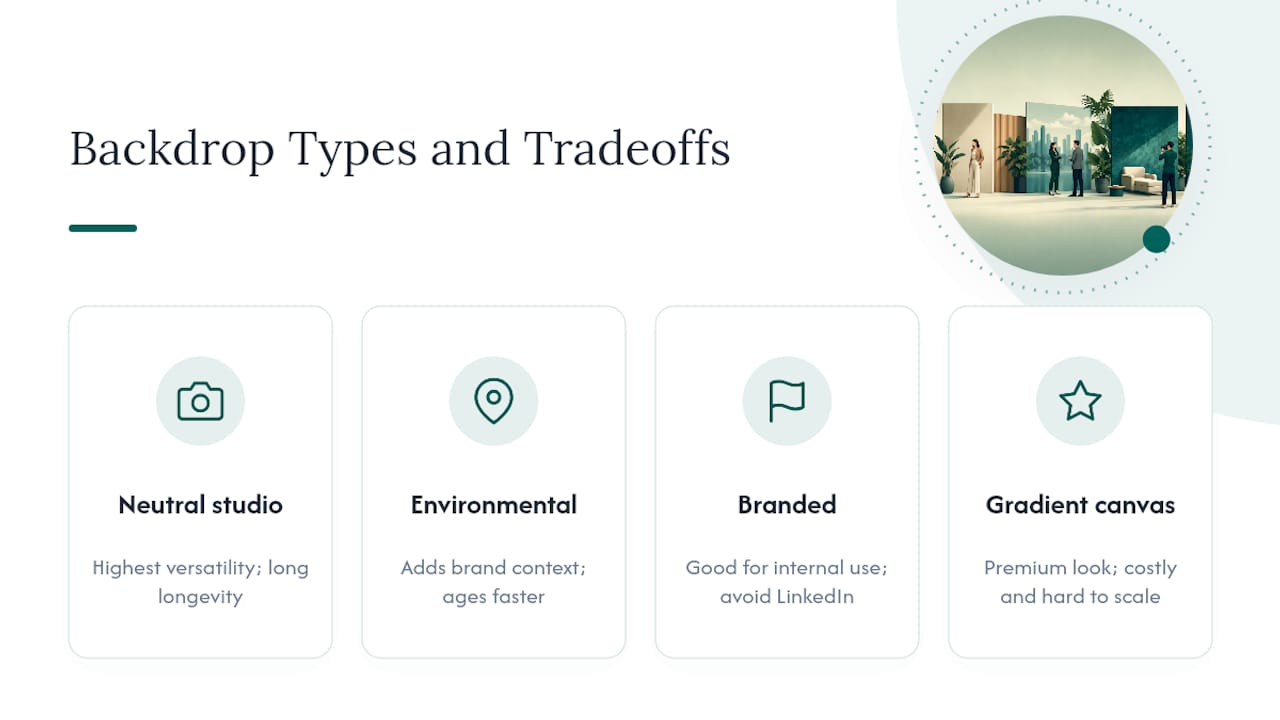
Neutral studio backdrops (grey, warm beige, soft white) are the safest default for most of your team. They deliver the highest versatility and longevity across LinkedIn, your careers page, press kits, and internal directories, because they don’t compete with the subject or date the way a trendy backdrop color does. A headshot against neutral grey taken in 2022 still looks current in 2026. That’s not true of a backdrop with a visible design trend baked in.
Environmental backdrops, meaning the actual office, a lobby, or a workspace with visible context, add a sense of story when the environment genuinely is part of the brand. A biotech company photographing scientists in a real lab benefits from that context. But environmental shots age fastest and cost more to produce since furniture gets replaced, walls get repainted, and last year’s shoot suddenly looks dated next to this year’s hire.
Branded backdrops, meaning your logo or brand pattern in frame, work well for internal team galleries and culture content but rarely for individual headshots meant for LinkedIn or press. A recruiter or journalist doesn’t need your wordmark floating behind someone’s shoulder. Keep branding subtle: a small logo mark, not a full step and repeat corporate wall, unless the photo is explicitly for an event or press activation.
Gradient and painted canvases create a dimensional, editorial look that reads as premium, but they’re harder to scale for large team shoots and cost more per session. Save them for the handful of people whose portraits carry outsized weight: your CEO, your keynote speakers, your fundraising deck.
Pro Tip: Background choice tends to shape a first impression more than wardrobe or expression does. A tired backdrop reads as an amateur setup even when the photographer and lighting are excellent.
Where a photo ends up should decide how you shoot it, not the other way around. A headshot destined for a website hero needs different framing than the same person’s LinkedIn photo, and shooting without that plan in mind is how teams end up with unusable crops six weeks after the shoot wraps.
Give your photographer a shot list before the session, not after. Planning deliverables and aspect ratios up front is what prevents unusable assets once everyone has gone home. Shoot a few extra crops per person while the setup is already in place. It’s far cheaper than rebooking.
Canvas, seamless paper, and muslin each behave differently once you’re setting up in a conference room instead of a studio, and the wrong choice slows down every shoot after the first one.
Canvas wins for most on-site work. It resists wrinkling, sets up faster than muslin, and a warm, lightly textured canvas photographs well across skin tones without needing constant steaming between subjects. Seamless paper gives the cleanest, most uniform look but tears easily near shoe traffic and needs a fresh roll every session or two if you’re photographing more than a few dozen people. Muslin is affordable and packs small, but it wrinkles in transit and usually needs steaming on-site, which eats into your schedule.
Pro Tip: Bring two backdrop stands even if you only plan to use one. A snapped crossbar or a bent leg with no backup can stall a 40-person shoot for twenty minutes while someone runs to a supply closet.
The “floating head” problem, where a subject looks lit but the background goes muddy and dark, comes almost entirely from skipping a dedicated background light. Your key and fill lights are shaping the face; they’re not built to also illuminate the backdrop evenly.
Add a small light, even a basic LED panel or a speedlight on a stand, aimed at the backdrop itself, separate from your subject lighting. This creates gentle falloff and dimension instead of a flat, dark void behind the shoulders.
Wardrobe matters just as much as lighting. Avoid clothing that closely matches the backdrop tone. A charcoal blazer against a mid-grey seamless will blend at the edges and look like a floating collar. Studio2U’s guide to corporate headshot attire covers this in more depth, but the short version: dress one notch more polished than daily office wear, and steer clear of busy patterns that vibrate on camera.
Pro Tip: If two people in the same gallery end up with visibly different backdrop tones, it’s almost always a white balance drift, not the backdrop itself.
Shooting 10 people is a different operation than shooting 100, and the backdrops themselves aren’t what breaks down first. It’s the workflow around them.
For shoots spanning multiple offices, a standardized light and backdrop setup matters more than which specific backdrop you pick. A neutral canvas and a repeatable three-light setup travel consistently between a Boston office and a Dallas one; an environmental backdrop almost never matches from location to location.
Pro Tip: Assign one internal reviewer per shoot who has final say on wardrobe and pose approval. Photographers shouldn’t be the ones deciding if a shirt violates dress code.
Studio2U’s default recommendation for a corporate shoot is simple: bring a warm neutral canvas as the workhorse and a subtle branded option for internal use, then tether every session so wardrobe and pose issues get caught in real time, not in post-production.
A backdrop decision made before the camera arrives saves more editing time than any retouching shortcut does after the fact.
For teams spread across multiple offices, that upfront planning is what keeps a headshot from Austin looking like it belongs in the same gallery as one from San Francisco.
Not every shoot justifies a full backdrop rental, and plenty of usable options exist inside a typical office already. A blank interior wall painted in a neutral tone, if you have one, works nearly as well as a rented seamless backdrop, provided it’s free of visible outlets, light switches, or scuff marks.
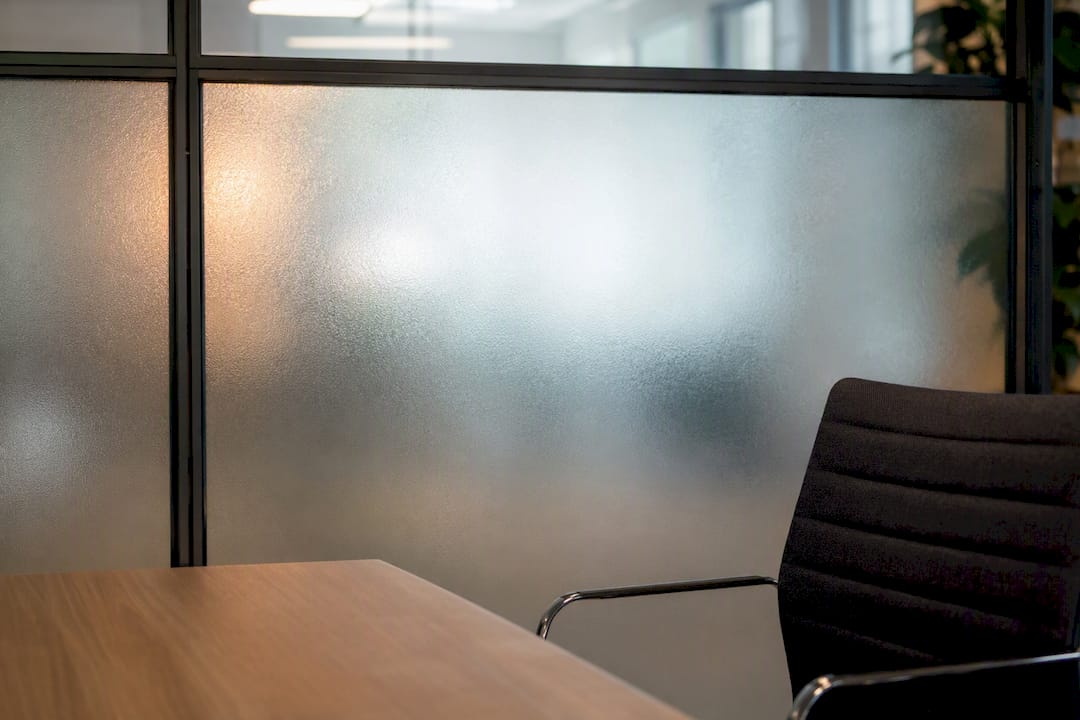
A frosted glass conference room wall, shot with the subject a few feet in front and lit properly, produces a soft, evenly diffused background that reads as intentional rather than improvised. Bookshelves can work for casual leadership content, but keep them sparse and evenly lit. Cluttered shelves compete with the subject’s face for attention.
If your office has a wall in your brand color, that can double as a low-cost branded backdrop for internal photos, team directories, or recruiting content, as long as the paint finish is matte rather than glossy. Glossy paint bounces light unpredictably and creates hot spots that are difficult to fix afterward.
A large piece of seamless craft paper, taped flat against a clean wall, is a genuinely serviceable stand-in for real seamless backdrop paper if you’re photographing only a handful of people and don’t have a rental on hand. It won’t hold up to a 50 person shoot day, but for a quick founder portrait or a single new-hire photo, it does the job.
The one rule that applies to every DIY option: test it under your actual shoot lighting before the day arrives, not the morning of.
Backdrop placement inside a real office comes down to two constraints most teams underestimate: available floor depth and where natural light is fighting your setup.
You need roughly 8 to 10 feet of clear floor space from backdrop to camera to get proper subject-to-background spacing and avoid a cramped, flat look. Most conference rooms have this if you push the table against a wall temporarily; open floor plan office areas often don’t, especially near high-traffic hallways where people will walk through your frame mid-shot.
Avoid placing a backdrop directly across from large windows unless you can control or block that light. Mixed color temperature between window daylight and your studio lights is one of the most common reasons corporate headshots come back looking slightly off in tone, and it’s hard to fully correct afterward.
Aesthetically, pick a spot with a plain wall behind the backdrop stand itself, even though it won’t be visible in frame. A backdrop hung a foot away from a cluttered supply closet or a visible exit sign creates distracting shadows and reflections that sneak into the edges of wider shots. A corner near a stairwell or elevator bank, however convenient, usually has too much foot traffic and ambient noise for a professional-feeling session.
If your office genuinely lacks a workable interior space, a portable backdrop system set up in an underused lobby corner or an emptied meeting room is almost always a better outcome than forcing a shoot into a cramped, high-traffic hallway.
A backdrop built for a photo shoot doesn’t automatically translate to a video call, and treating them identically is a common mistake. Webcam framing is tighter, lighting shifts throughout the day, and viewers are watching a moving, talking subject instead of a still frame.
For recurring video calls, whether interview-style content or standing executive video setups, a neutral canvas still works, but consider a slightly darker mid-tone than you’d use for still photography. Bright neutral backdrops can wash out webcam sensors, which tend to have narrower dynamic range than a dedicated camera.
If the video content is for external use, like a founder story video or an employer brand video, apply the same logic as still photography: match the backdrop to the story. Studio2U’s founder story video work often uses a warm neutral or a subtly branded backdrop depending on whether the piece is meant for investors or for a careers page.
For everyday internal video calls, a fixed, semi-permanent backdrop setup near a desk, with consistent lighting and a neutral or lightly branded background, saves employees from scrambling before every meeting. It’s worth setting up once in a shared space rather than asking every employee to solve backdrop and lighting problems individually at their own desk.
The same handful of mistakes account for most disappointing corporate photo results, and nearly all of them are avoidable with a quick check before the first subject sits down.
Wrinkled or dirty backdrops are the most visible failure. Muslin and paper both show creases under studio lighting, and a scuffed spot near the floor line shows up in every single wide shot for the rest of the day. Inspect the backdrop after every ten or so subjects, not just once at setup.
Insufficient background separation, the floating-head problem, happens when there’s no dedicated background light and the subject is standing too close to the backdrop. Fix it by adding distance and a background light rather than trying to correct it in editing later.
Mismatched lighting between sessions is a quiet killer for consistency. If your team photographs 20 people on Monday and 15 more the following month, and nobody logged the exact light positions and settings, the two batches will look like they came from different companies. Photograph a reference frame with your settings visible, or note them, every time you strike a setup.
Finally, watch for backdrop bleed from ambient office lighting, overhead fluorescents casting a greenish tint, or afternoon sun sneaking in through blinds. A quick white balance check between sessions catches most of this before it becomes a post-production headache.
Most advice on office backdrops treats the visual choice as the whole problem: pick a nice color, maybe add a logo, done. That misses where the real cost shows up. The backdrop itself is rarely what tanks a corporate photo library. Inconsistent lighting between sessions, wrinkled materials nobody caught in time, and a lack of planning around where the final images will actually run are what turn a good shoot into a wasted afternoon.
The conventional wisdom leans hard on “make it look premium.” Premium matters far less than consistent. A plain grey backdrop shot with the same lighting setup across three office locations beats a gorgeous gradient canvas that only got used once because nobody could replicate the setup for the next hire.
If there’s one thing marketing and HR teams should prioritize first, it’s this: decide your deliverables before you decide your backdrop. Once you know the photo needs to work as a website hero, a LinkedIn thumbnail, and a press headshot, the backdrop choice mostly picks itself, and the rest becomes execution.
— Kevin
studio2U brings the backdrop decision to you instead of asking your team to figure it out alone. A portable studio setup, a warm neutral canvas paired with a subtle branded option, and a crew that tethers every shot for on-the-spot review means your team walks away with usable images the same week, not weeks later.

Request a scoped quote and studio2U will map out the shot list, backdrop options, and deliverable sizes (hero, LinkedIn, press, ads) before a single light gets set up. Sessions run on a five-day turnaround for retouched files, and pricing scales by team size, whether you’re photographing 8 people in one office or 200 across five locations. If you’re planning a shoot for a financial firm, a fast-growing startup, or a multi-office rollout, start with studio2U’s team to get a quote and a proposed date on the calendar.
A neutral canvas or grey seamless backdrop, paired with one branded option per shoot, covers nearly every corporate use case while keeping cross-location results consistent.
| Point | Details |
|---|---|
| Default to neutral | Warm mid-tone canvas or light grey seamless works reliably across skin tones, outfits, and platforms. |
| Match backdrop to destination | Website heroes, LinkedIn, and press each need different crops and negative space, so plan deliverables first. |
| Choose canvas for on-site work | Canvas resists wrinkling and sets up faster than muslin or paper during office shoots. |
| Light the background separately | A dedicated background light prevents the floating-head look and adds depth. |
| Standardize for multi-office consistency | Tethered review and repeatable lighting setups matter more than backdrop style for large or distributed teams. |
| Book a scoped session | studio2U pairs portable canvas setups with fast turnaround to keep branding consistent across offices. |
A warm mid-tone neutral canvas or light grey seamless is the safest default because it photographs reliably across skin tones and works for LinkedIn, websites, and press without looking dated.
Most of the team should share a neutral backdrop for consistency, while executives or founders can get a gradient or painted canvas option for higher-visibility portraits.
A 5x8 foot backdrop is a practical workhorse size for on-site corporate shoots, offering enough coverage for full-body or two-person shots while staying portable.
Add a dedicated background light separate from your subject lighting, and keep subjects roughly 4 to 6 feet in front of the backdrop for natural falloff.
Yes. studio2U uses portable canvas systems and standardized lighting setups so headshots taken in different offices look consistent in the same gallery.
